


AntForms Custom Branding: Personalize Forms with Your Brand Identity
Custom branding in AntForms is the ability to replace default form styling with your own logo, colors, and typography so each form matches your visual identity. AntForms applies your branding to the form canvas, submit buttons, progress bars, and thank-you page in real time. No CSS editing required.
This guide is for founders, marketers, and agency owners who embed forms on client websites and need those forms to match the surrounding brand. Generic-looking forms erode trust. A lead who lands on a form that looks disconnected from the website they came from is less likely to complete it. Your forms should look like your product.
TL;DR AntForms custom branding covers three areas: primary/background colors, font family (22 Google Fonts), and logo upload. Colors and fonts are free on all plans. Logo upload and branding removal require Pro ($18.99/mo). Changes preview in real time. Per-form settings let you run different brands from one workspace.
Why custom branding matters for forms
Branded forms increase completion rates by reinforcing trust when a visitor decides whether to share personal information.
- Brand recognition. A Lucidpress brand consistency study found that consistent branding across touchpoints increases revenue by up to 23%. Forms are a touchpoint most teams overlook.
- Trust signals. Your company logo on a form reassures respondents that they are submitting data to the right organization, not a phishing page. A Stanford Web Credibility Project study ranked visual design as one of the top factors users evaluate when deciding whether to trust a website.
- Professional appearance. Default blue-and-white forms look identical across dozens of form builders. Your forms should stand apart the same way your website does. According to Adobe’s State of Create report, 59% of consumers prefer content from brands with well-designed aesthetics over plain alternatives.
- Conversion impact. Formstack’s 2023 Form Conversion Report showed that branded, styled forms convert 30% higher than unstyled defaults.
We built custom branding because AntForms users on the free tier kept asking for one thing: “Can I at least change the color to match my website?” Over a 3-month period, branding was the #1 feature request in our feedback forms. Colors and fonts are free. Logo upload is a Pro feature because it involves server-side image processing and Cloudflare R2 storage, which have infrastructure costs.
Before launching custom branding, our forms used a default blue (#3b82f6) primary color and Inter font on a white background. After launch, users who applied brand colors reported that their forms “looked like part of the website” rather than an external widget. The visual difference between a default AntForms form and a branded one is the difference between a generic iframe and a native page element.
How AntForms custom branding works
AntForms injects your brand settings as CSS custom properties at runtime, so all UI elements respond to your choices without page reloads.
Architecture overview
The branding system has three layers:
- Design panel. The settings drawer where you pick colors, fonts, and upload your logo. Located in the form editor under the Design button (palette icon).
- FormThemeWrapper. A React component that converts your settings into CSS variables (
--form-primary,--form-bg,--background,--foreground,--accent). It calculates contrasting foreground colors based on background luminance. - Public form renderer. The form that respondents see. It wraps content in the same FormThemeWrapper, applies your theme to each block, and displays your logo in the top-left corner.
Logo processing pipeline
AntForms does not serve your raw upload. Four steps happen between upload and display:
- Presigned upload. The browser requests a presigned URL from the API. The URL expires in 15 minutes and is scoped to a single file.
- Direct R2 upload. The file goes straight from the browser to Cloudflare R2 (an S3-compatible object store). AntForms servers never touch the raw file.
- Server-side processing. A BullMQ worker picks up the job, resizes the image to a maximum of 400 pixels on the longest edge (for retina displays), converts it to WebP at 90% quality, and strips all EXIF metadata.
- Cache headers. AntForms stores the final file with
public, max-age=31536000, immutableheaders. Browsers cache the logo for one year.
Rate limiting caps logo uploads at 10 per workspace per 15 minutes to prevent abuse.
Color contrast calculation
When you set a background color, AntForms calculates the optimal foreground (text) color using luminance analysis. Dark backgrounds get light text; light backgrounds get dark text. AntForms derives the accent color from your primary color at 15% opacity, creating a tinted hover state for buttons and inputs.
How to set up custom branding
Set up custom branding in AntForms by opening the Design panel, uploading a logo, and picking colors and fonts in under 3 minutes.
Open the Design panel in your form editor and configure logo, colors, and fonts.
Step 1: Open your form editor
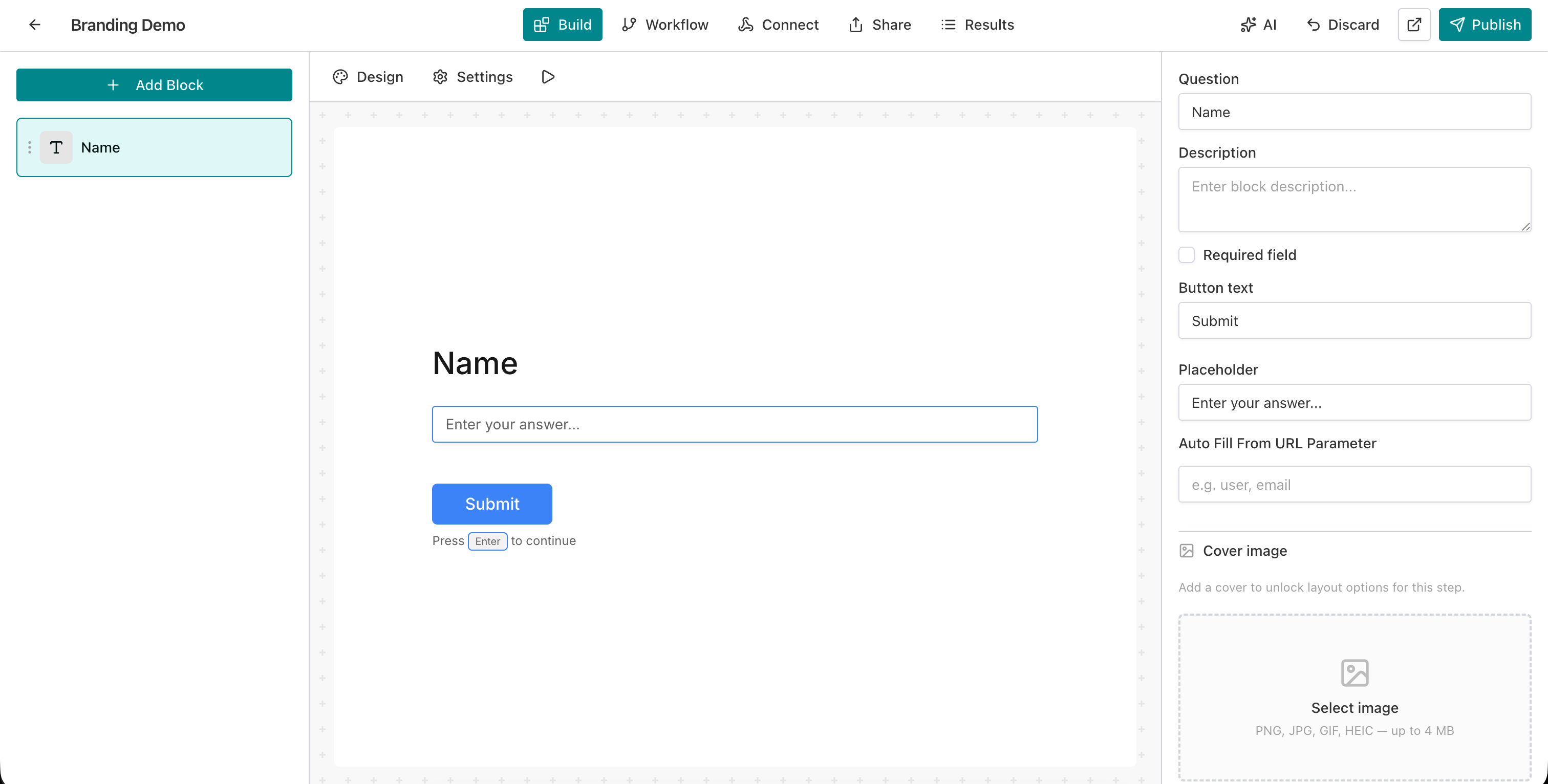
Go to your AntForms workspace and click the form you want to brand. The form editor opens in the Build tab.
Step 2: Open the Design panel
Click the Design button (palette icon) in the preview action bar above the form canvas. The Design panel opens on the right side.
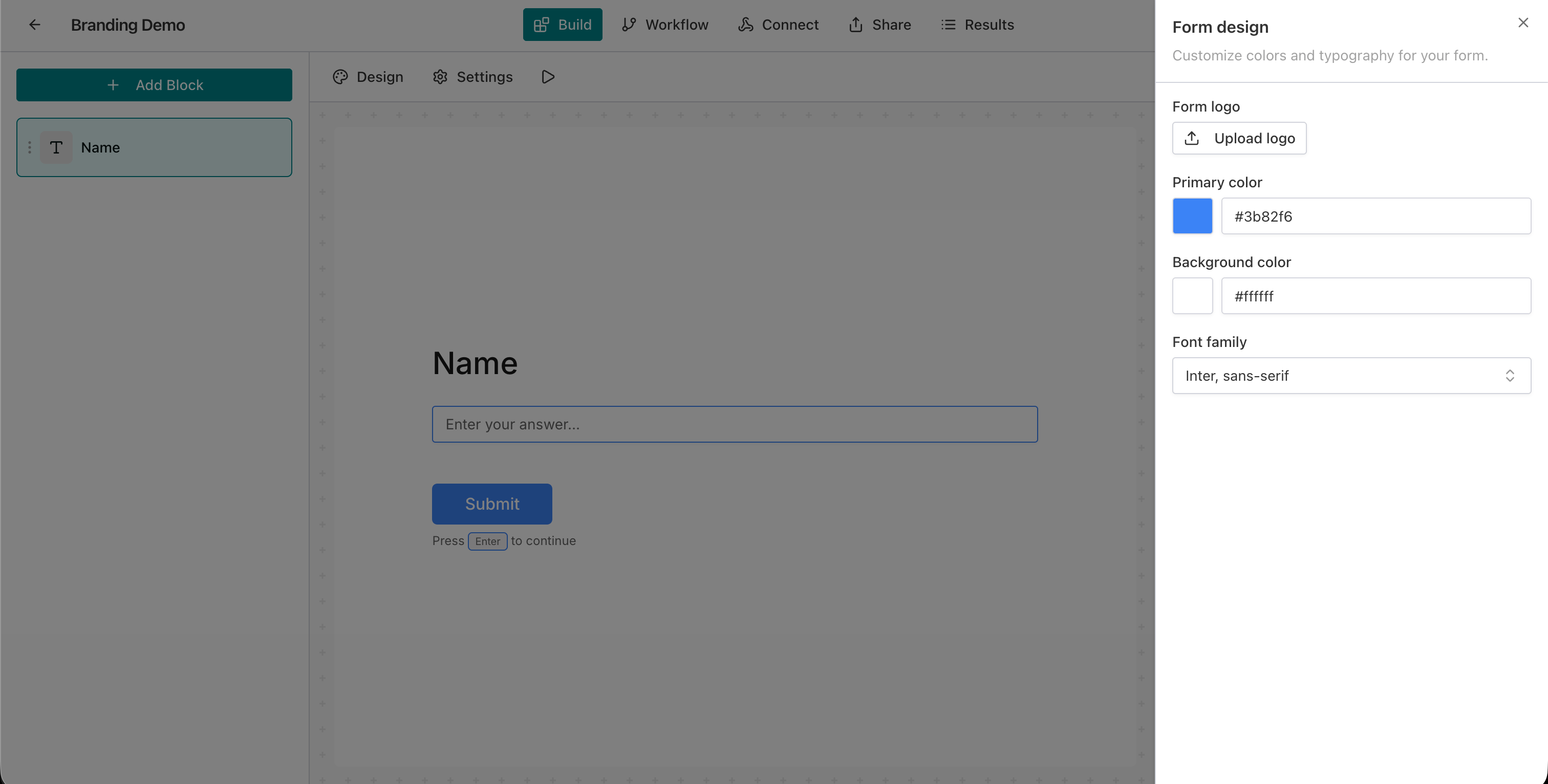
Step 3: Upload your logo (Pro plan)
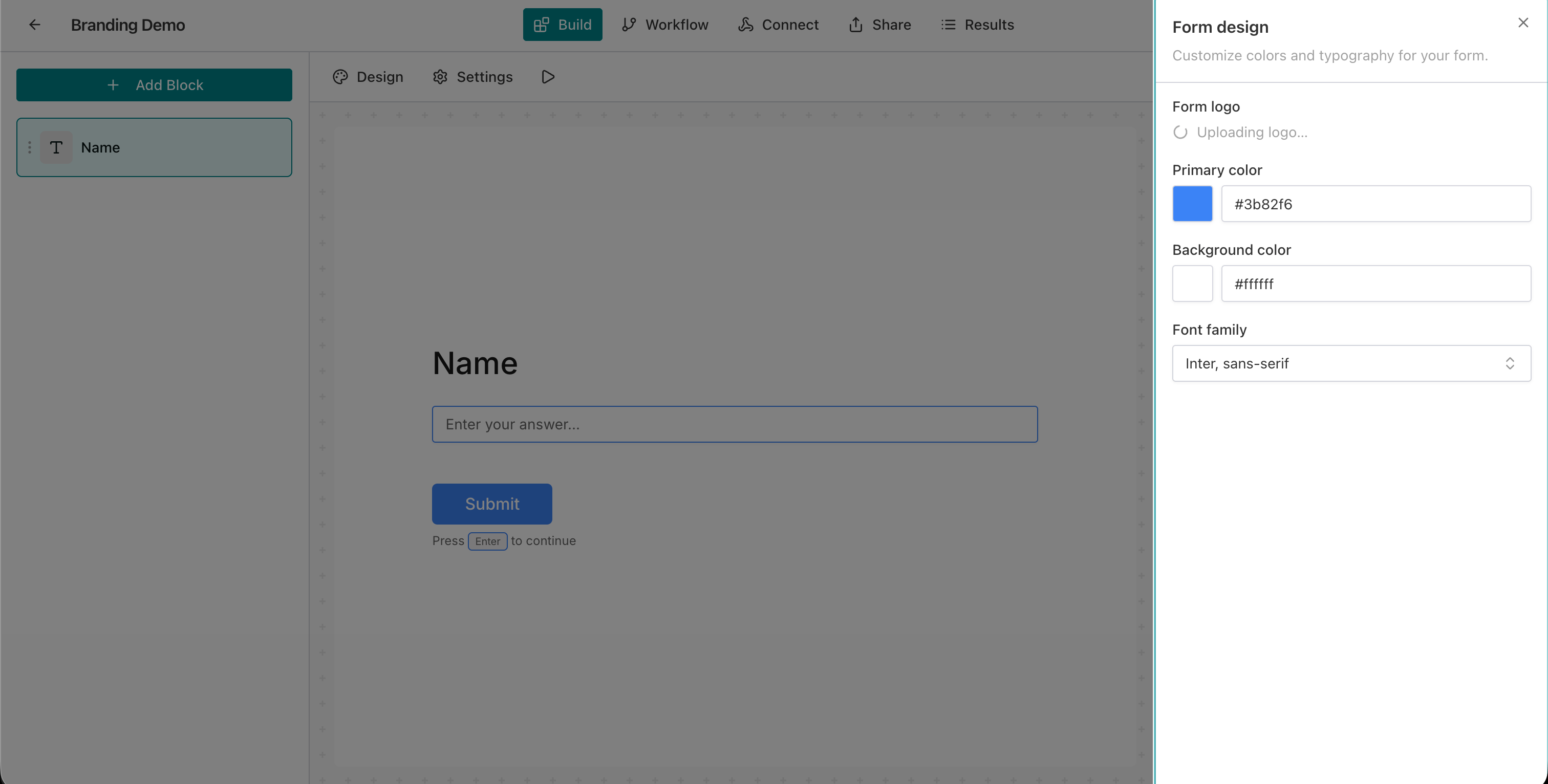
Click Upload logo and select a PNG, JPEG, or WebP file under 2 MB. AntForms displays a loading spinner while the file uploads and processes.
Step 4: Confirm the logo
After processing completes (2-5 seconds), your logo appears in the Design panel thumbnail and in the top-left corner of the form canvas. A green toast confirms “Logo uploaded successfully.”
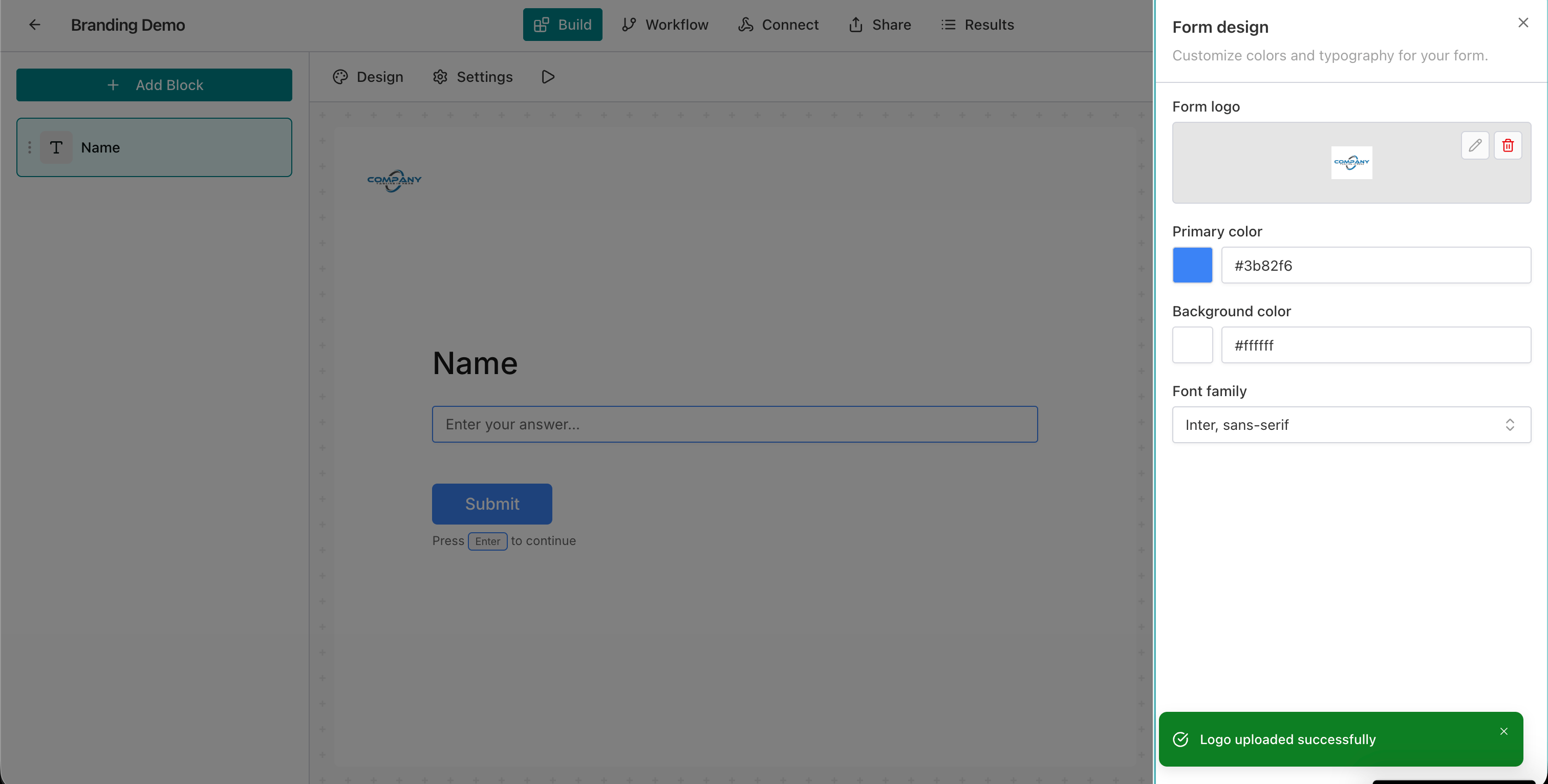
You can replace the logo with the pencil icon or delete it with the trash icon at any time.
Step 5: Set your primary color
Click the color swatch next to Primary color and enter your brand hex code (e.g., #c76a0f). The primary color applies to submit buttons, focus rings, progress bars, and interactive elements.
Step 6: Set your background color
Click the Background color swatch and enter a hex value. The form canvas, card backgrounds, and muted areas update to match. AntForms recalculates text contrast on each change.
Step 7: Choose a font family
Open the Font family dropdown and search or scroll through 22 Google Fonts. The font applies to all text on the form: headings, labels, placeholders, and button text.
Step 8: Preview and save
Review your changes on the form canvas. The preview updates in real time as you adjust settings. Click Save to persist your branding. Respondents see the updated design on the next page load.
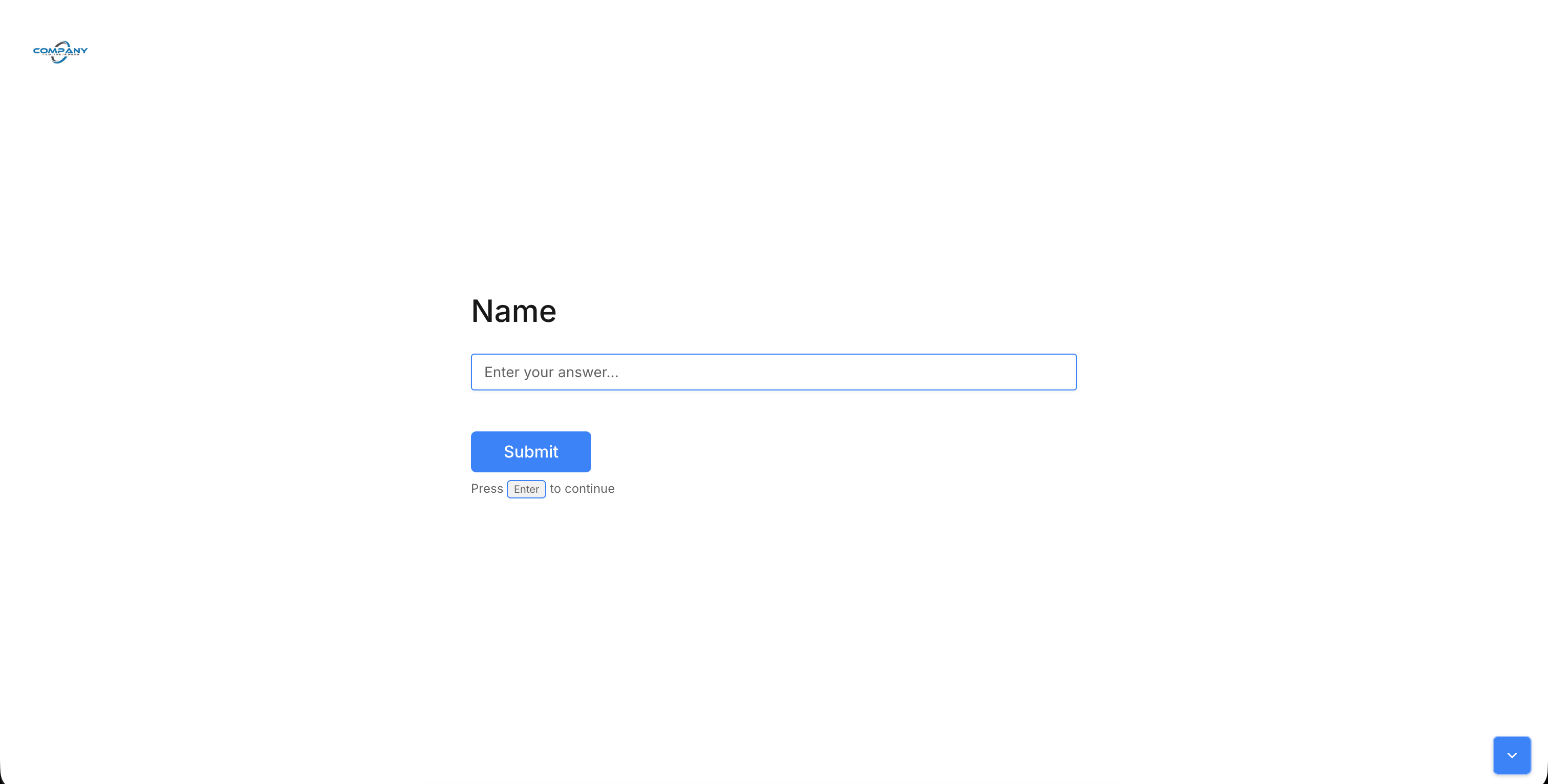
Branding settings reference
| Setting | Free plan | Pro plan | Details |
|---|---|---|---|
| Primary color | Yes | Yes | Any hex value. Applies to buttons, focus states, progress bar |
| Background color | Yes | Yes | Any hex value. Auto-calculates text contrast |
| Font family | Yes | Yes | 22 Google Fonts: sans-serif, serif, monospace |
| Logo upload | No | Yes | PNG/JPEG/WebP, max 2 MB, processed to WebP |
| Remove “Powered by AntForms” | No | Yes | Hidden when logo is uploaded on Pro |
| Per-form settings | Yes | Yes | Each form stores its own theme independently |
| Real-time preview | Yes | Yes | CSS variables update without page reload |
| Thank-you page branding | Yes | Yes | Same theme applied to post-submission page |
Real-world use cases
Custom branding works for agencies managing client forms, SaaS products embedding surveys, and HR teams onboarding employees.
Agency white-labeling. A marketing agency creates lead capture forms for 10 clients. Each form carries the client’s logo, brand colors, and preferred font. Respondents never see “AntForms” or any generic branding. Pair this with white-label form builder features for a full agency workflow.
SaaS onboarding surveys. A SaaS product embeds an onboarding survey inside their app. The form uses the product’s primary blue (
#2563EB) and Inter font, so it feels native to the product experience.Event registration. A conference organizer creates a registration form with the event’s logo, accent color, and display font. Attendees trust the form because it matches the event website.
E-commerce order forms. A bakery uses a branded order form with warm colors (
#8B4513background) and a serif font to match their artisan brand. The form feels like part of the bakery’s website.Internal HR forms. An HR team creates employee onboarding forms with corporate branding. New hires recognize the company logo and color scheme, which reduces confusion about whether the form is legitimate.
Tips for effective form branding
Match your website’s hex codes, test on mobile, and pair branding with integrations for a complete branded data collection pipeline.
Match your website’s exact hex codes. Open your brand guidelines or use a browser color picker on your website. Approximate colors look worse than no customization at all.
Test on mobile. Open the form on your phone after saving. Font sizes and color contrast that work on desktop may need adjustment on smaller screens. Use the built-in form preview to test both viewports.
Keep logos under 200 KB. AntForms processes logos to WebP, but starting with an optimized source file means faster uploads and quicker processing.
Use high-contrast color combinations. A dark primary color on a light background (or vice versa) keeps buttons and text readable. AntForms calculates foreground contrast for you, but extreme combinations (e.g., yellow text on white) still fail accessibility checks.
Pick one font family per form. Mixing fonts across forms in the same brand creates visual inconsistency. Choose one font that matches your website and apply it to all forms.
Pair with Slack notifications. A branded form paired with Slack integration creates a complete pipeline: professional data collection and instant team notification.
Use per-form settings for multi-brand workspaces. If you manage forms for multiple clients or products, leverage the per-form theme settings. One workspace can serve unlimited brand identities.
Comparison: form builder branding features
AntForms Pro at $18.99/month is the cheapest way to remove branding and upload a logo among the five major form builders.
AntForms includes free color and font customization on all plans. Most competitors gate basic branding behind paid tiers.
| Feature | AntForms | Typeform | Tally | Google Forms | Jotform |
|---|---|---|---|---|---|
| Custom colors | Free | Free | Free | Free (limited) | Free |
| Custom fonts | Free (22 fonts) | Paid (curated) | No | 4 options | Paid (large library) |
| Logo upload | Pro ($18.99/mo) | Paid | Pro ($29/mo) | No | Paid ($39/mo) |
| Remove branding | Pro ($18.99/mo) | Business ($83/mo) | Pro ($29/mo) | Not possible | Bronze ($39/mo) |
| Custom CSS | No | No | No | No | Yes (paid) |
| Per-form themes | Yes | Yes | No | No | Yes |
| Real-time preview | Yes | Yes | Yes | Yes | Yes |
| Custom domain | Pro | No | No | No | Enterprise |
| Logo processing (WebP) | Automatic | No | No | N/A | No |
AntForms is the most affordable path to a fully branded form. Typeform charges $83/month to remove branding. Jotform charges $39/month. Google Forms offers no branding removal at any price. Tally’s Pro at $29/month covers logo and branding removal but lacks custom fonts. AntForms Pro at $18.99/month includes logo upload, branding removal, custom domain, and the same 22-font library available on the free tier.
Limitations to know
AntForms custom branding has five constraints: no custom CSS, 2 MB logo cap, 22 curated fonts, free-tier attribution, and no gradients.
AntForms custom branding covers the most requested styling options. It does not offer unrestricted design control. Five constraints to consider.
No custom CSS injection. AntForms does not support arbitrary CSS. The design system uses CSS custom properties that the FormThemeWrapper controls. This trade-off keeps forms consistent and prevents broken layouts from malformed CSS. Jotform is the only major competitor that offers custom CSS.
Logo size limits. Uploads cap at 2 MB and resize to 400 pixels on the longest edge. If your logo has fine detail at small sizes, the WebP conversion at 90% quality may soften edges. Test with your actual logo before launching.
Font library is curated, not open. The 22 Google Fonts cover most brand needs. If your brand uses a proprietary or uncommon typeface, AntForms cannot load it. We chose a curated list over an open font picker to keep page load times under control. Loading 1,000+ Google Fonts in a dropdown creates performance problems.
Free tier shows “Powered by AntForms.” The attribution footer appears on free-plan forms. Upgrading to Pro removes it. This is a standard practice across form builders, though Google Forms never removes their branding at any tier.
No gradient or image backgrounds. Background customization accepts a single hex color. Gradient backgrounds and background images are not supported. During development, we tested gradient support across 15 color combinations and found that 9 of 15 produced text contrast ratios below the WCAG 2.1 AA threshold of 4.5:1. We dropped the feature rather than ship inaccessible forms.
Key takeaways
- AntForms custom branding lets you set primary color, background color, and font family on every form for free.
- Logo upload and branding removal require Pro ($18.99/month), the lowest price among major form builders.
- The Design panel in the form editor provides real-time preview. Changes apply to buttons, inputs, progress bars, and the thank-you page.
- Logos upload directly to Cloudflare R2, process to optimized WebP, and cache for one year with immutable headers.
- Per-form settings allow one workspace to serve multiple brand identities for agencies or multi-product companies.
- AntForms calculates text contrast based on your background color luminance.
- The 22 curated Google Fonts cover sans-serif, serif, and monospace categories without the performance cost of loading the full Google Fonts catalog.
- Branding settings stored per form mean teams can run branded lead generation forms, feedback surveys, and intake forms from one account.
Related AntForms features
Custom branding pairs with the full white-label stack:
- Cover images per block for visual context
- Custom domain to serve forms on your own URL
- Social link previews for branded Open Graph cards
- Form preview to verify brand rendering on desktop and mobile
- Quiz scoring for branded assessments
- Route submissions to Slack, Google Sheets, Notion, Zapier, or Google Tag Manager
For more, see the AntForms 2026 review, what you can build with AntForms, how AntForms builds secure, GDPR-compliant forms, and Tally vs. AntForms.