


AntForms Notion Integration: Sync Form Responses to a Notion Database
A Notion integration for form builders is a direct connection that sends form submission data to a Notion database as structured pages, without requiring third-party automation tools like Zapier or Make. AntForms Notion integration does this using native OAuth 2.0 with automatic field mapping and delivery tracking. No Zapier, no middleware.
If your team manages projects and feedback in Notion, form responses belong in the same workspace. Copying data from a form dashboard into Notion by hand wastes time and introduces errors.
TL;DR AntForms connects to Notion via OAuth. Each submission becomes a page in your chosen database with form fields mapped to Notion properties (text, email, select, checkbox, date, files). Up to 3 connections per form. Auto-mapping suggests field-to-property matches. Delivery tracking and retry are built in. Free, no submission caps.
Why send form responses to Notion
Sending form responses to Notion consolidates data collection and project management in one workspace, eliminating manual copy-paste.
Startups and small teams manage projects, wikis, and CRMs in Notion. A 2024 Notion report found that Notion is the most popular tool among startups with 1-50 employees. Routing form data there removes the step where someone copies a response into a database row by hand.
- Single source of truth. Contact form submissions and applications land in the same Notion workspace where your team tracks projects. No separate dashboard to check.
- Structured data from day one. Form responses arrive as Notion pages with typed properties (email, date, select, number), ready for filtering, sorting, and formulas. No reformatting needed, unlike Google Sheets integrations that require column matching.
- Views for your workflow. A single Notion database can display form responses as a table, kanban board, calendar, or gallery. Your recruitment pipeline and your customer feedback tracker pull from the same data with different views.
- Fewer manual entry errors. A 2024 Gartner survey on data quality reported that manual data entry accounts for 60% of data quality issues in small business operations. Direct syncing eliminates that category.
We built this after living through our own contact form workflow: submit form, open Notion, create page, copy fields one by one. That took 2-3 minutes per response and we averaged 4 errors per week from mistyped emails and swapped field values. With the native integration, responses appear in Notion within seconds and we have not had a data entry error since launching it.
How the AntForms Notion integration works
AntForms uses OAuth 2.0 authorization, a BullMQ job queue for page creation, and per-delivery tracking with automatic retry.
AntForms connects to Notion through a three-layer pipeline: authorization, page creation, and delivery tracking. No third-party middleware involved. The integration uses the Notion API v2022-06-28, the same stable API version that powers Notion’s official integrations.
Architecture overview
- OAuth connection. You authorize AntForms to access your Notion workspace. AntForms receives a token scoped to view, edit, and create content within pages you select. The system encrypts tokens at rest with AES-256-GCM, the same symmetric encryption standard used by banks and government agencies.
- Page creation. When someone submits a form, AntForms enqueues a delivery job. A BullMQ worker (an open-source, Redis-backed job queue) builds Notion page properties from mapped form fields and creates the page via the Notion API.
- Delivery tracking. The system logs each page creation with status (Pending, Success, Failed), retry count, HTTP response code, and error details. Failed deliveries retry up to 5 times with exponential backoff, where each retry waits twice as long as the previous one, starting at 60 seconds.
Security
- AntForms encrypts access tokens at rest with AES-256-GCM, the same encryption used for webhook secrets
- OAuth state parameters use HMAC-SHA256 signing with a 10-minute expiry to block replay attacks
- AntForms requests the minimum Notion permissions: view, edit, and create content on pages you select
- The system disables connections after 3 consecutive authorization failures, preventing runaway retries against a revoked token
Delivery tracking and retry
Each Notion delivery has its own status panel:
- Status indicators. Green check for Success, red X for Failed, clock for Pending.
- Attempt count and timing. See how many retries occurred and when.
- Error messages. The raw Notion API error for failed deliveries, useful for debugging property type mismatches.
- Manual retry. Re-queue any failed delivery with one click.
- Rate limit handling. The worker respects Notion’s
Retry-Afterheader and pauses before retrying 429 responses.
How to connect AntForms to Notion
Connect AntForms to Notion in 8 steps: authorize via OAuth, pick a database, map fields, and submit a test response.
Setup takes about 3 minutes. You need an AntForms account and a Notion workspace.
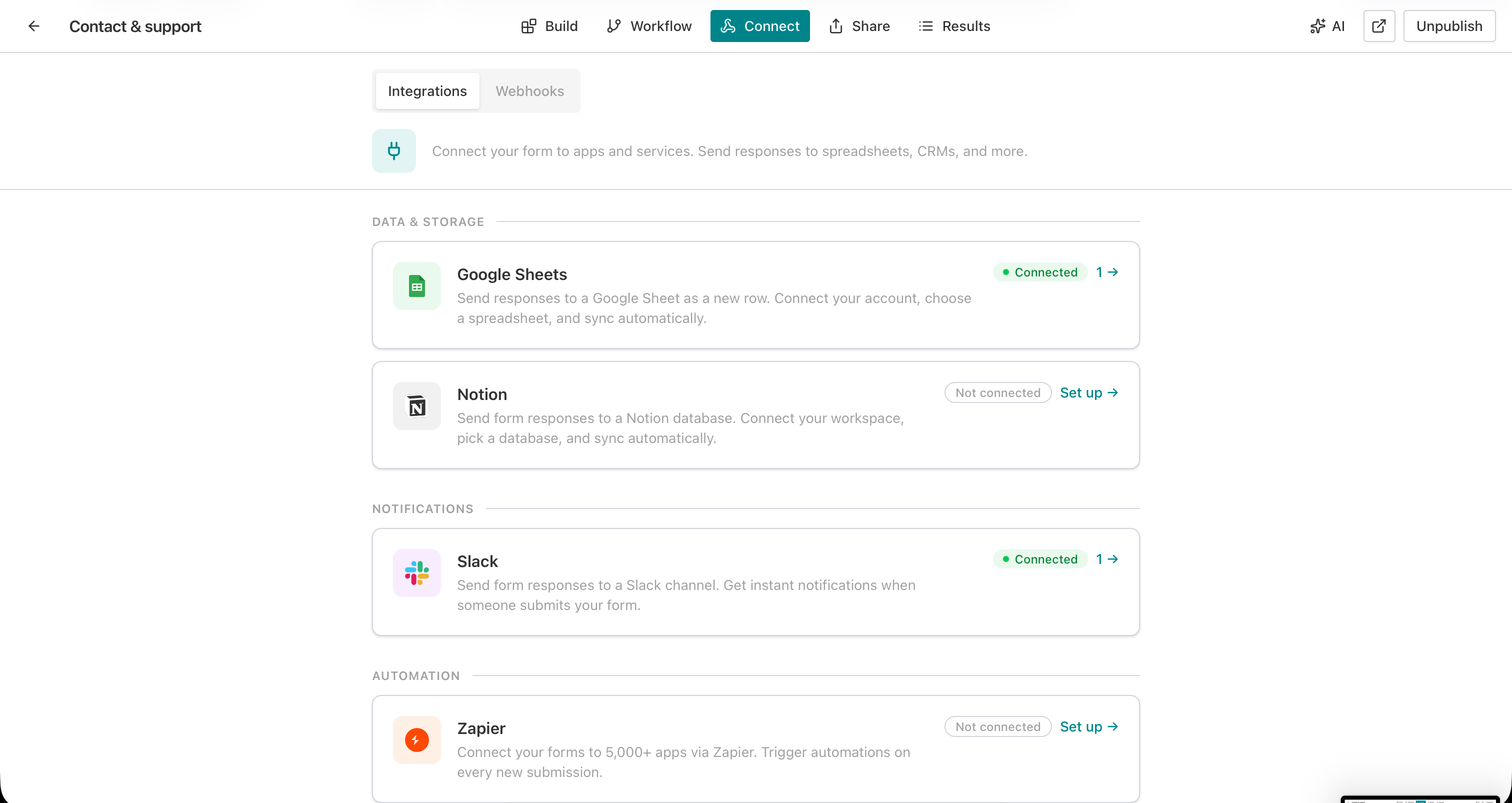
1. Open the Connect tab
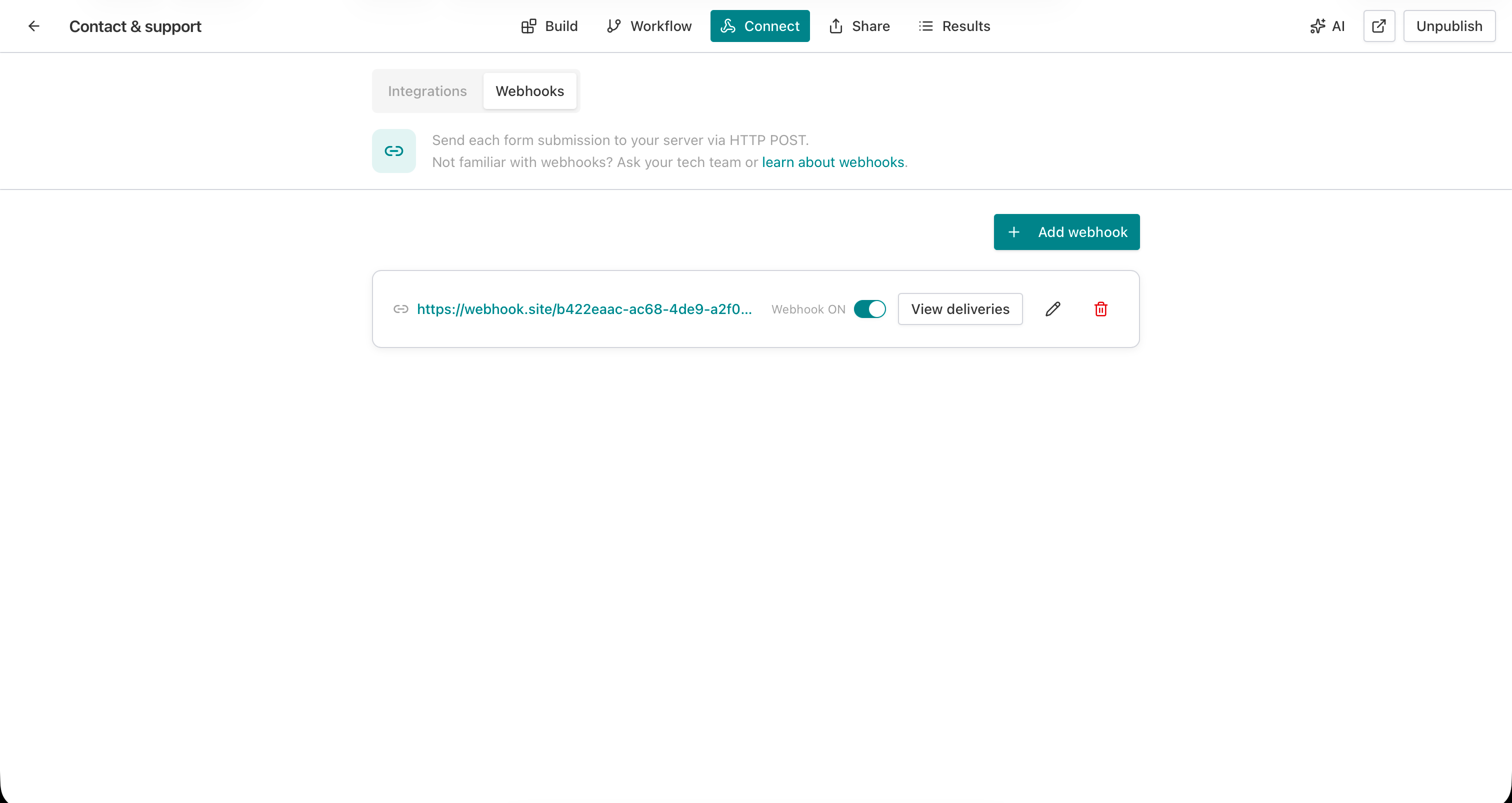
Go to your form editor and click Connect in the top navigation bar. You will see two sub-tabs: Integrations and Webhooks.
2. Click Set up next to Notion
On the Integrations tab, find the Notion card under Data & Storage. Click Set up to open the Notion detail page.
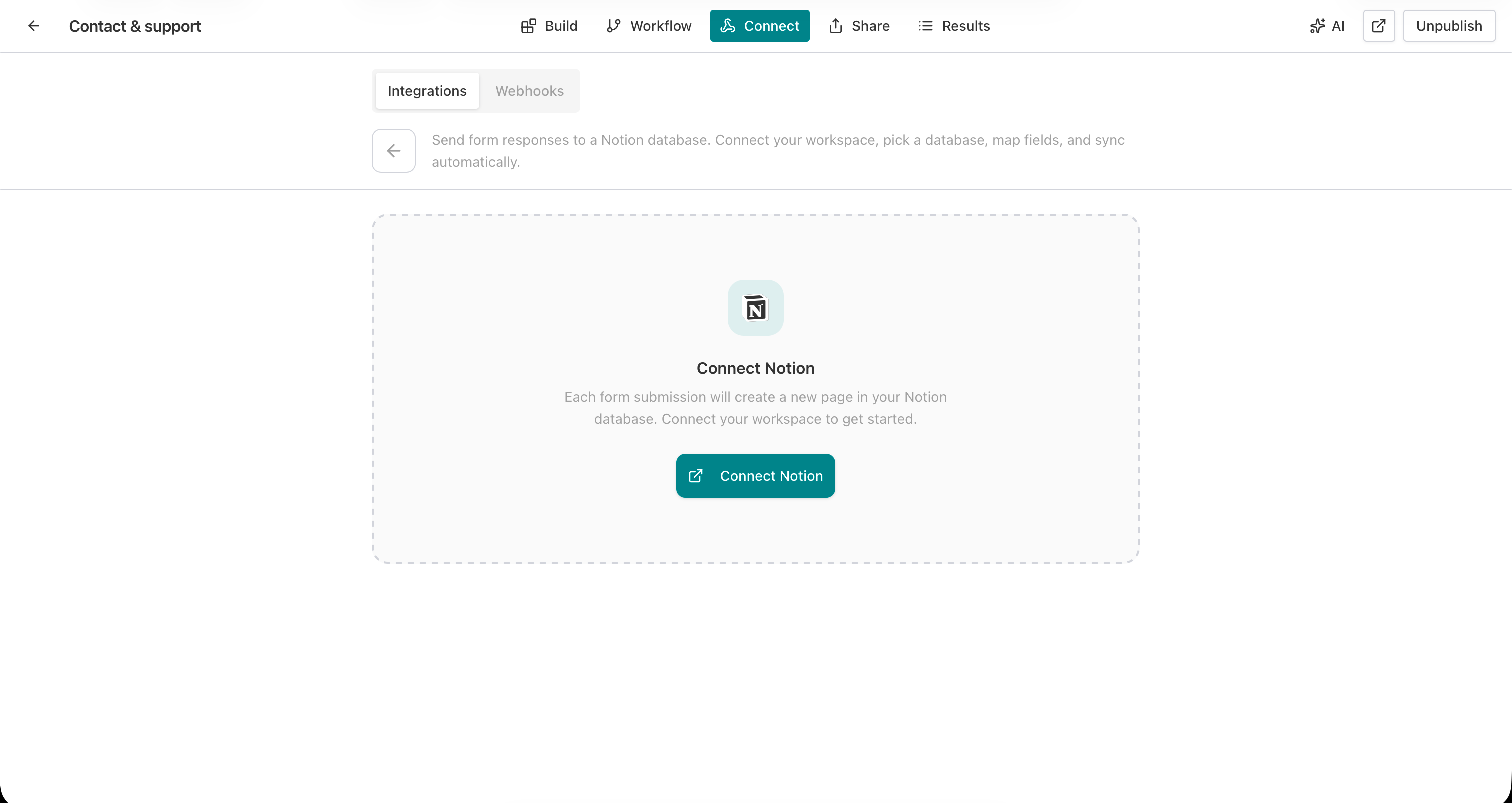
3. Click Connect Notion
On the Notion detail page, click the Connect Notion button. This starts the OAuth 2.0 flow.
4. Authorize on Notion
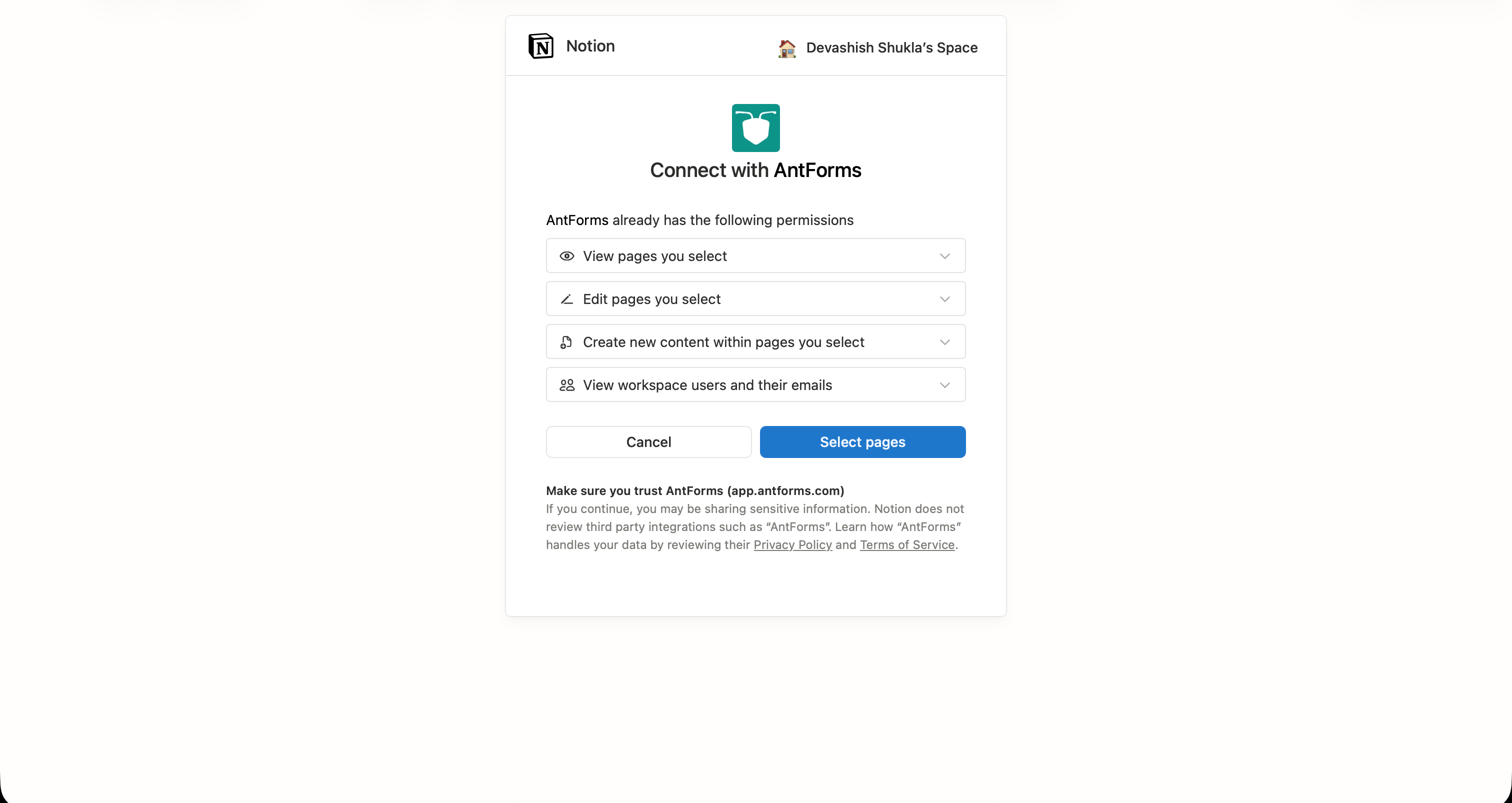
Notion’s authorization page shows the permissions AntForms is requesting: view pages you select, edit pages you select, create new content within pages you select, and view workspace users. Click Select pages to grant access and choose which pages AntForms can access.
5. Choose a database
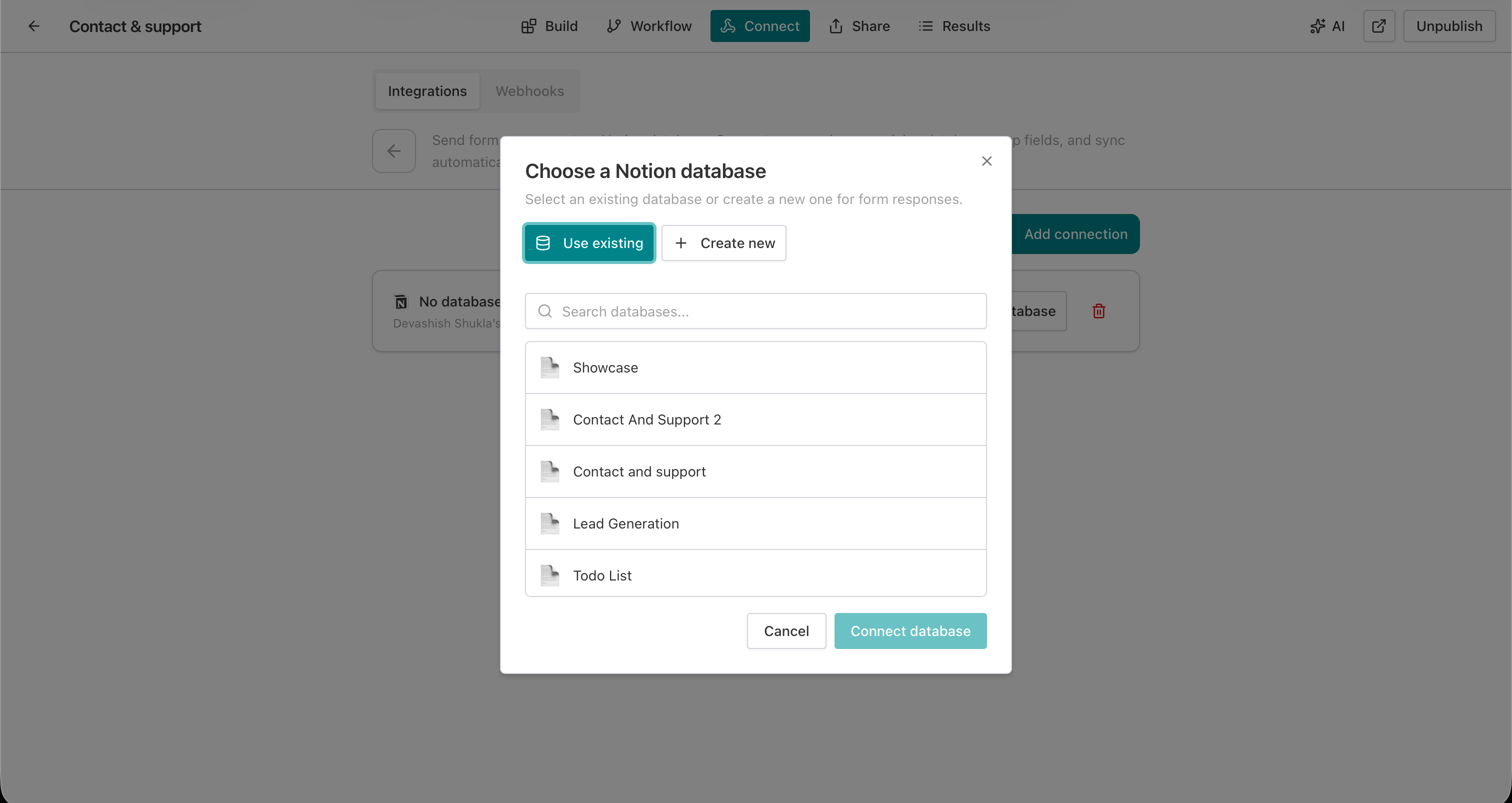
After authorization, a database picker modal appears with two options:
- Use existing. Search and select from your Notion databases.
- Create new. Create a fresh database under any Notion page, with properties auto-generated from your form fields.
Select a database and click Connect database.
6. Verify the connection
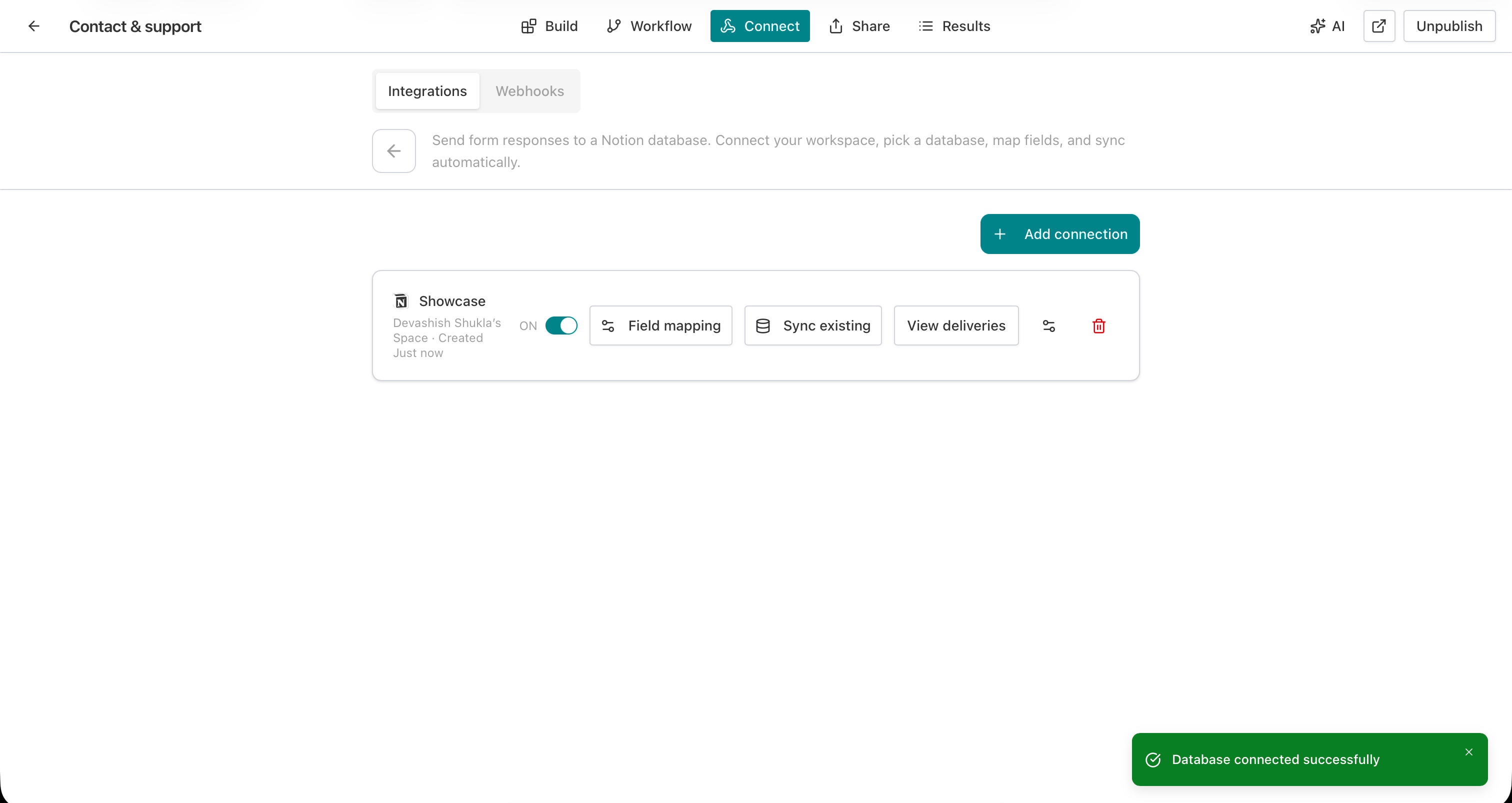
A green toast confirms “Database connected successfully.” The connection card shows the database name, workspace name, and action buttons: Field mapping, Sync existing, View deliveries.
7. Map your fields
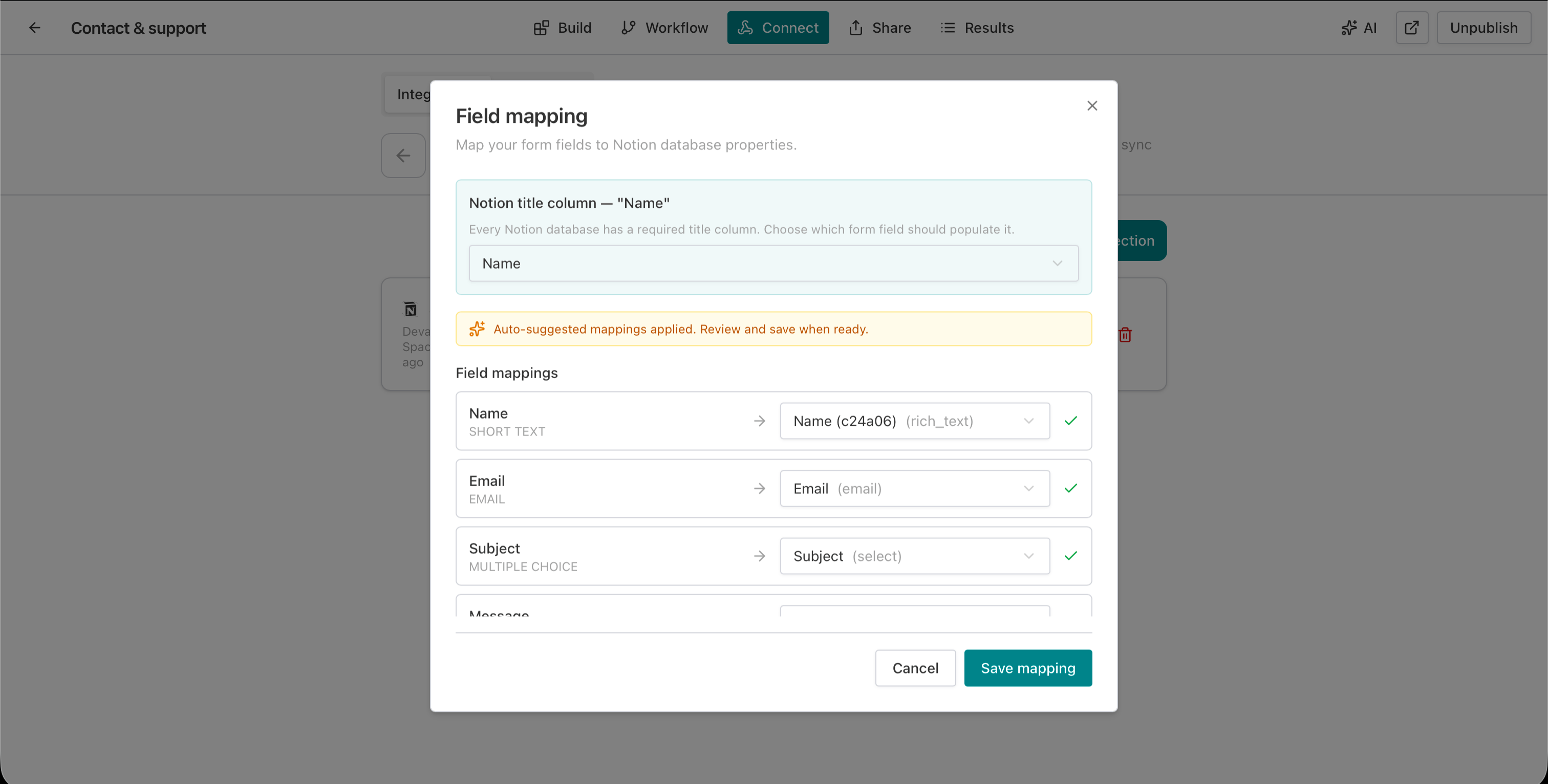
Click Field mapping to open the mapping modal. AntForms suggests mappings based on field name and type. Each row shows a form field on the left, an arrow, and a Notion property dropdown on the right.
The Notion title column requires special attention. Notion databases require one title property. Choose which form field populates it.
If your Notion database is missing properties for some form fields, click Auto-create properties to generate them from the mapping interface.
8. Submit a test response
Fill out and submit your form. Check the Notion database for a new page with all mapped values populated.
Field type mapping reference
AntForms maps 12 form field types to Notion database properties, converting each to the closest matching Notion type.
AntForms converts form field types to the closest Notion property type:
| Form field type | Notion property type | Notes |
|---|---|---|
| Short text, Long text | rich_text | Truncated to 2,000 characters |
| Falls back to rich_text if format is invalid | ||
| Number | number | Converts to numeric, null if not a number |
| Multiple choice (single) | select | Option name truncated to 100 characters |
| Multiple choice (multi) | multi_select | Each option becomes a tag |
| Yes/No | checkbox | Parses true, yes, 1 as checked |
| Phone number | phone_number | Falls back to rich_text if format is unusual |
| Website URL | url | Falls back to rich_text if format is invalid |
| Date, Scheduler | date | ISO 8601 format |
| Star rating, Opinion scale, NPS | number | Numeric value |
| File upload, Signature | files | External file URLs |
| Rank, Matrix, Contact info, Address | rich_text | Serialized as structured text |
AntForms excludes Statement blocks since they produce no response data.
Real-world use cases
Recruitment pipeline. A job application form maps Name to title, Email to email, Role to select, and Resume to files. Responses land in a Notion database with a kanban view grouped by Role. The hiring manager drags candidates through stages without leaving Notion.
Customer feedback tracker. A feedback form maps Rating (NPS) to number and Comment to rich_text. The Notion database has a formula column that flags scores below 7. A calendar view shows submission dates for trend analysis.
Event registration. A registration form maps Name, Email, Dietary preference (select), and T-shirt size (select) to a Notion database. A gallery view shows registrants, and a filter on Dietary preference helps the catering team plan.
Client intake for freelancers. A project intake form maps Company, Budget (number), Timeline (date), and Project description (rich_text) to Notion. The freelancer tracks active leads in a kanban view and archives completed projects.
Internal IT requests. An IT support form maps Issue type (select), Priority (select), and Description (rich_text) to a Notion database. The IT team uses a board view grouped by Priority, with a filter for unresolved requests.
Tips for an effective Notion integration
- Name your form fields to match Notion properties. The auto-mapper matches by name first. If your form field says “Full Name” and your Notion property says “Name”, rename one to match. The mapping locks in on its own.
- Use Create new database for clean starts. The Create new option generates a Notion database with properties matching your form field types. No manual property setup.
- Set the title column to the most identifying field. The Notion title appears in list views, search results, and board cards. Map it to the respondent’s name, email, or a short identifier.
- Use Sync existing after connecting to a live form. If your form has collected responses, Sync existing sends them to Notion in one batch. It runs once per 24 hours.
- Check the deliveries panel after the first few submissions. Property type mismatches (like sending text to a number column) show up as delivery errors with the Notion API message. Fix the mapping early.
- Combine with Slack notifications for alerts. Notion stores the data; Slack delivers the notification. A contact form that sends to both gives your team an alert in Slack and a structured record in Notion.
- Use up to 3 connections for multi-team routing. A product feedback form can send to a Product team database and a QA team database. Toggle connections on or off without deleting them.
How AntForms compares to other form builders on Notion integration
Of the five major form builders, only AntForms, Typeform, and Tally offer native Notion integration; Google Forms and Jotform require third-party tools.
| Feature | AntForms | Typeform | Tally | Google Forms | Jotform |
|---|---|---|---|---|---|
| Native Notion integration | Yes | Yes (paid plans only) | Yes (free) | No | No |
| Minimum cost for Notion sync | $0 | $25/mo (Basic plan) | $0 | $5/mo (third-party add-on) | $19.99/mo (via Zapier) |
| Field mapping UI | Yes, with auto-suggestions | Basic | Yes | N/A | N/A |
| Create database from form | Yes | No | No | N/A | N/A |
| Auto-create Notion properties | Yes | No | No | N/A | N/A |
| Delivery tracking with retry | Yes | No | Event logs | N/A | N/A |
| Sync existing responses | Yes (one-click) | No | Yes (manual export) | N/A | N/A |
| Max connections per form | 3 | 1 | Multiple | N/A | N/A |
| Submission limits on free plan | None | 10/mo | None | None (but no Notion native) | 100/mo |
AntForms and Tally both offer free, native Notion integrations. AntForms adds the ability to create a Notion database from the form editor, auto-create missing properties, and a delivery tracking panel with manual retry. Typeform locks Notion access behind its $25/month Basic plan and has documented reliability issues with field syncing. Google Forms and Jotform lack native Notion support and require Zapier or third-party add-ons.
Limitations to know
AntForms Notion integration has five constraints: no deletion sync, no Relation/People properties, 2,000-char text limit, 24-hour sync cooldown, and auto-disable after 3 auth failures.
The AntForms Notion integration does not sync deletions. If you delete a form response in AntForms, the corresponding Notion page remains. The same applies in reverse: deleting a Notion page does not affect the AntForms response.
Relation and People property types in Notion are not supported for mapping. These properties reference other Notion databases or workspace users, which form responses cannot populate. Formula, rollup, created_time, and other computed properties are read-only in the Notion API, so AntForms skips them during page creation.
Rich text fields are truncated to 2,000 characters per the Notion API limit. If your form collects long-form text exceeding that length, the response will be cut. Tally has the same 2,000-character limit. Typeform’s integration has reported issues with certain field types not syncing at all, including Yes/No answers displaying as blank.
The sync-existing feature runs once per 24 hours per connection. If you need to re-sync sooner, wait for the cooldown. The system disables connections after 3 consecutive authorization failures (for example, if the Notion token is revoked). Re-authorize through OAuth to re-enable.
We chose not to build two-way sync (Notion changes flowing back to AntForms) because form responses are source-of-truth records. Editing a response in Notion after the fact creates data integrity problems. If you need bidirectional sync, tools like Unito offer that as a dedicated service, but the trade-off is added complexity and cost.
During development, we tested the integration across contact forms, job applications, NPS surveys, event registrations, and file upload forms. The most common setup issue was property type mismatches, where a Notion column was set to “number” but the form field sent text. The auto-mapping and auto-create features address this by matching types at connection time.
Key takeaways
- AntForms sends form submissions to Notion databases as structured pages with typed properties. No middleware or Zapier required.
- OAuth 2.0 connection with AES-256-GCM encrypted tokens. Setup takes about 3 minutes.
- Auto-mapping suggests field-to-property matches by name and type. Auto-create generates missing Notion properties from the mapping interface.
- Up to 3 Notion connections per form for multi-team routing. Toggle each on or off without deleting.
- Delivery tracking logs each page creation with status, retry count, and error details. Failed deliveries retry up to 5 times with exponential backoff.
- Sync existing sends all collected responses to Notion in one batch.
- Free on all AntForms plans, no submission caps.
- AntForms and Tally offer free native Notion integration. Typeform charges $25/month. Google Forms and Jotform need third-party tools.