


AntForms Slack Integration: Send Form Responses to Slack Instantly
AntForms Slack integration sends every form submission to a Slack channel as a rich, formatted notification with field values, emoji labels, and a one-click link back to the full response. The connection uses native OAuth 2.0 and takes under 60 seconds to set up. No Zapier or middleware required.
If your team lives in Slack, you want form responses showing up where conversations already happen, not in a separate dashboard you check twice a day.
TL;DR AntForms connects to Slack natively via OAuth. Each form submission becomes a Block Kit message in your chosen channel with all field values, star ratings, NPS scores, and a “View Response” button. Free tier includes 1 connection per form; Pro gets 3. Delivery tracking with automatic retry is built in.
Why send form submissions to Slack
Teams that route form responses to Slack respond 3–5x faster than those relying on email or dashboard polling. A ClearFeed analysis of Slack form workflows confirmed this: Slack-routed teams act on submissions in minutes, not hours.
- Lead response time. Harvard Business Review research found that responding to leads within 5 minutes makes you 21x more likely to qualify them. Slack notifications put the lead in front of your sales team in seconds.
- Support ticket triage. Contact form submissions appear in your #support channel the moment they land. No one checks a separate inbox.
- Team awareness. Product feedback, NPS scores, and survey responses flow into shared channels where the whole team sees them, not just the form owner.
- No context switching. Your team already lives in Slack. Form responses there remove the friction of opening another tool.
We built this integration because our own team was using a Zapier zap to forward AntForms submissions to Slack. The 5–15 minute delay on Zapier’s free tier meant leads went cold before anyone saw them. The native integration delivers in under 2 seconds.
How the AntForms Slack integration works
AntForms connects to Slack through a three-layer pipeline: OAuth authorization, BullMQ message delivery, and per-message tracking with automatic retry. It uses OAuth 2.0 (an industry-standard authorization protocol that lets apps access your Slack workspace without sharing passwords), the same flow used by Jotform and Typeform. AntForms handles the pipeline without third-party automation tools.
Architecture overview
The integration has three layers:
- OAuth connection — you authorize AntForms to post to your Slack workspace. AntForms receives a bot token scoped to
chat:write,channels:read,groups:read, andchannels:join. - Message delivery — when a form is submitted, AntForms enqueues a delivery job. A BullMQ worker (an open-source Redis-backed job queue for Node.js) processes the job, builds a Slack Block Kit message (Slack’s rich message format supporting headers, fields, buttons, and interactive elements) from the response data, and posts it to your configured channel.
- Delivery tracking — every message is tracked with status (Pending, Success, Failed), retry count, HTTP response code, and error details. Failed deliveries retry automatically up to 5 times with exponential backoff (each retry waits twice as long as the previous one, starting at 60 seconds).
Security
- Bot tokens are encrypted at rest with AES-256-GCM, the same encryption used for webhook secrets
- OAuth state tokens are HMAC-SHA256 signed with a 10-minute expiry to prevent replay attacks
- Slack event webhooks are verified using HMAC-SHA256 signature validation
- The bot only requests the minimum scopes needed to post messages and list channels
How to connect AntForms to Slack: step by step
Connect AntForms to any Slack channel in under 60 seconds: open Integrations, authorize via OAuth, pick a channel, and test.
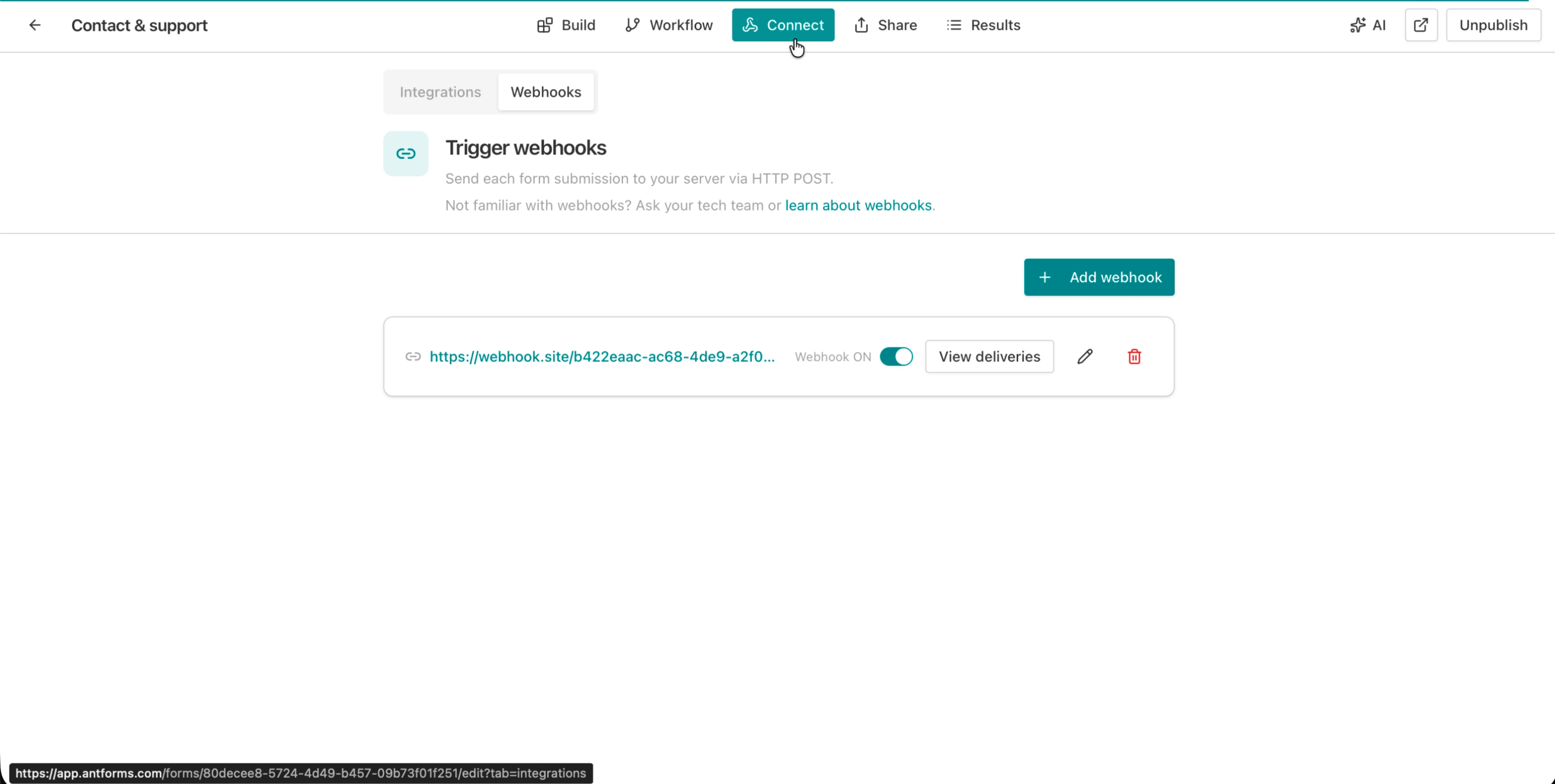
1. Open the Integrations tab
In your form editor, click the Integrations tab in the top navigation. You will see the integrations overview showing available connections including Google Sheets and Slack.
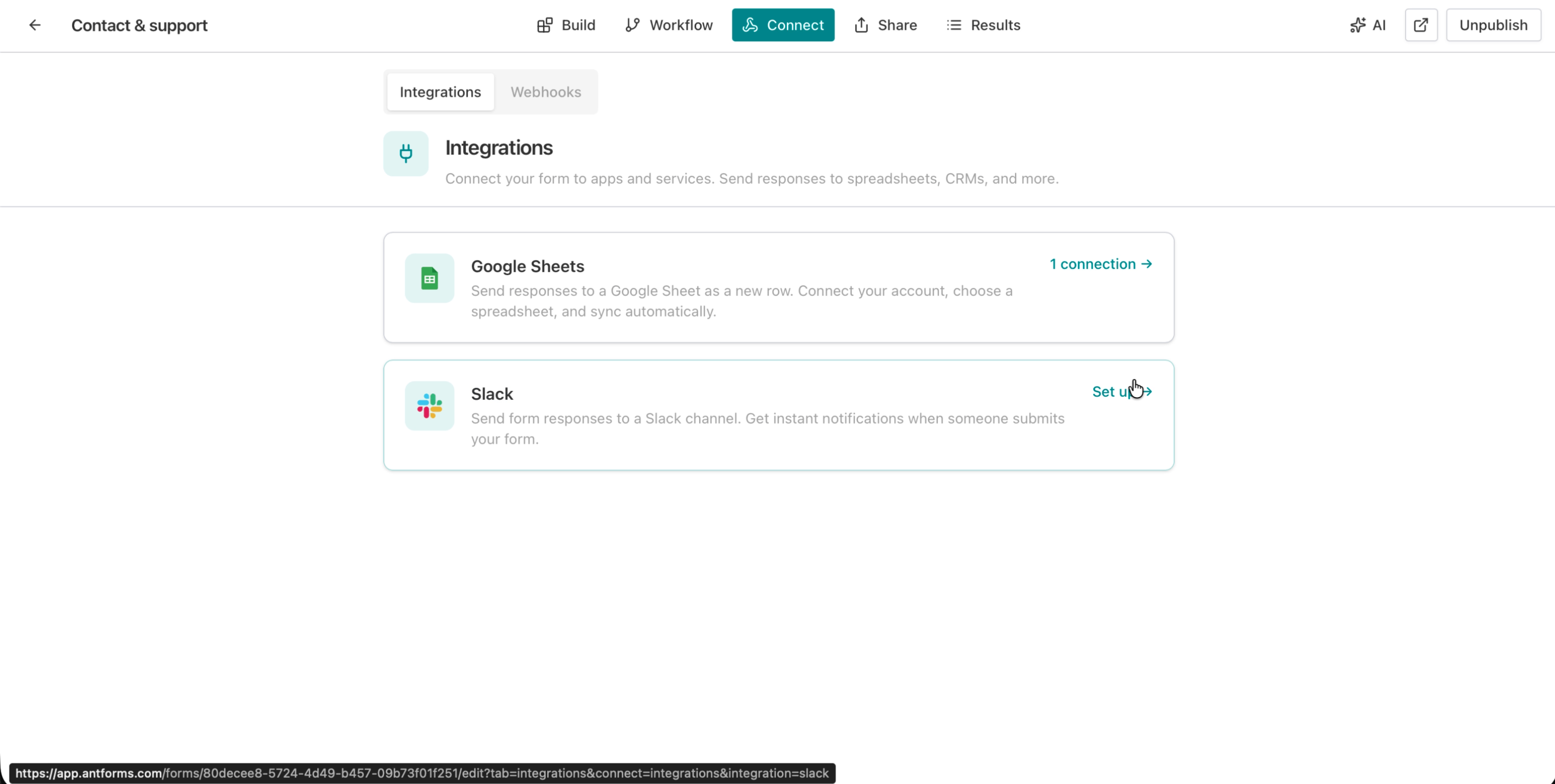
2. Click Set up next to Slack
Click Set up on the Slack card. This takes you to the Slack detail page where you can manage connections.
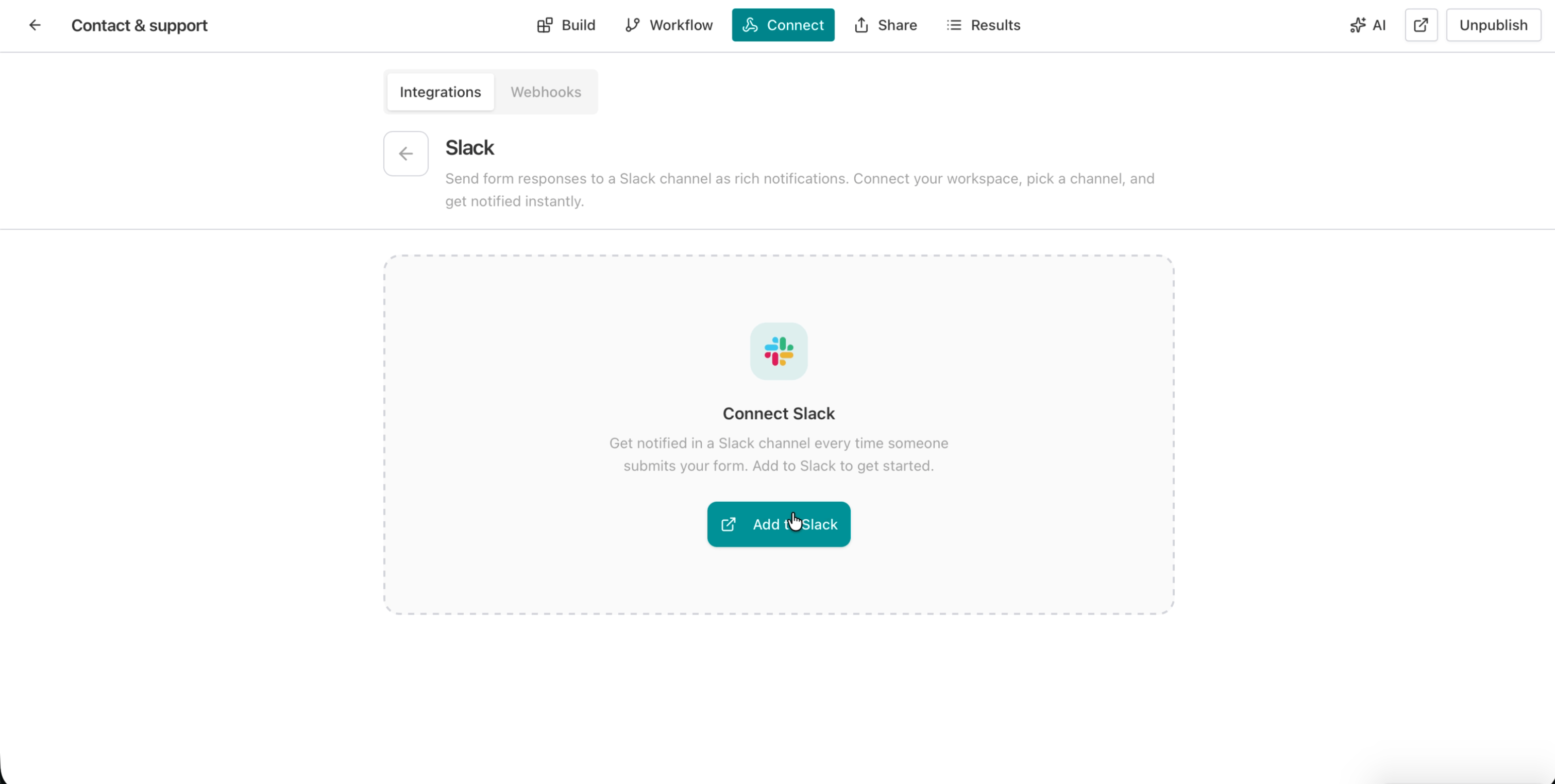
3. Authorize AntForms in Slack
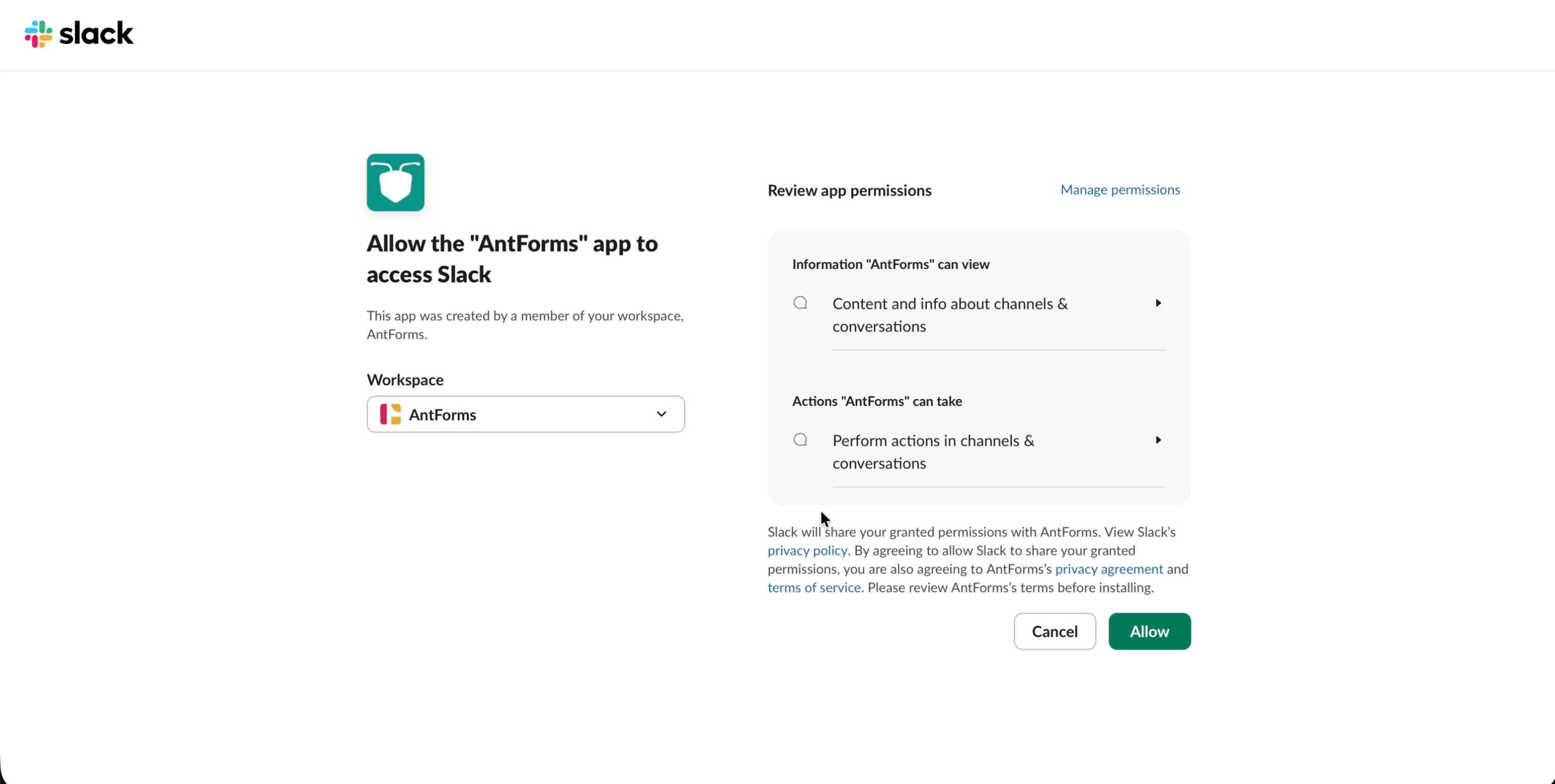
Click Add to Slack. Slack opens an OAuth authorization page showing the permissions AntForms requests: reading channel info and posting messages. Select your workspace and click Allow.
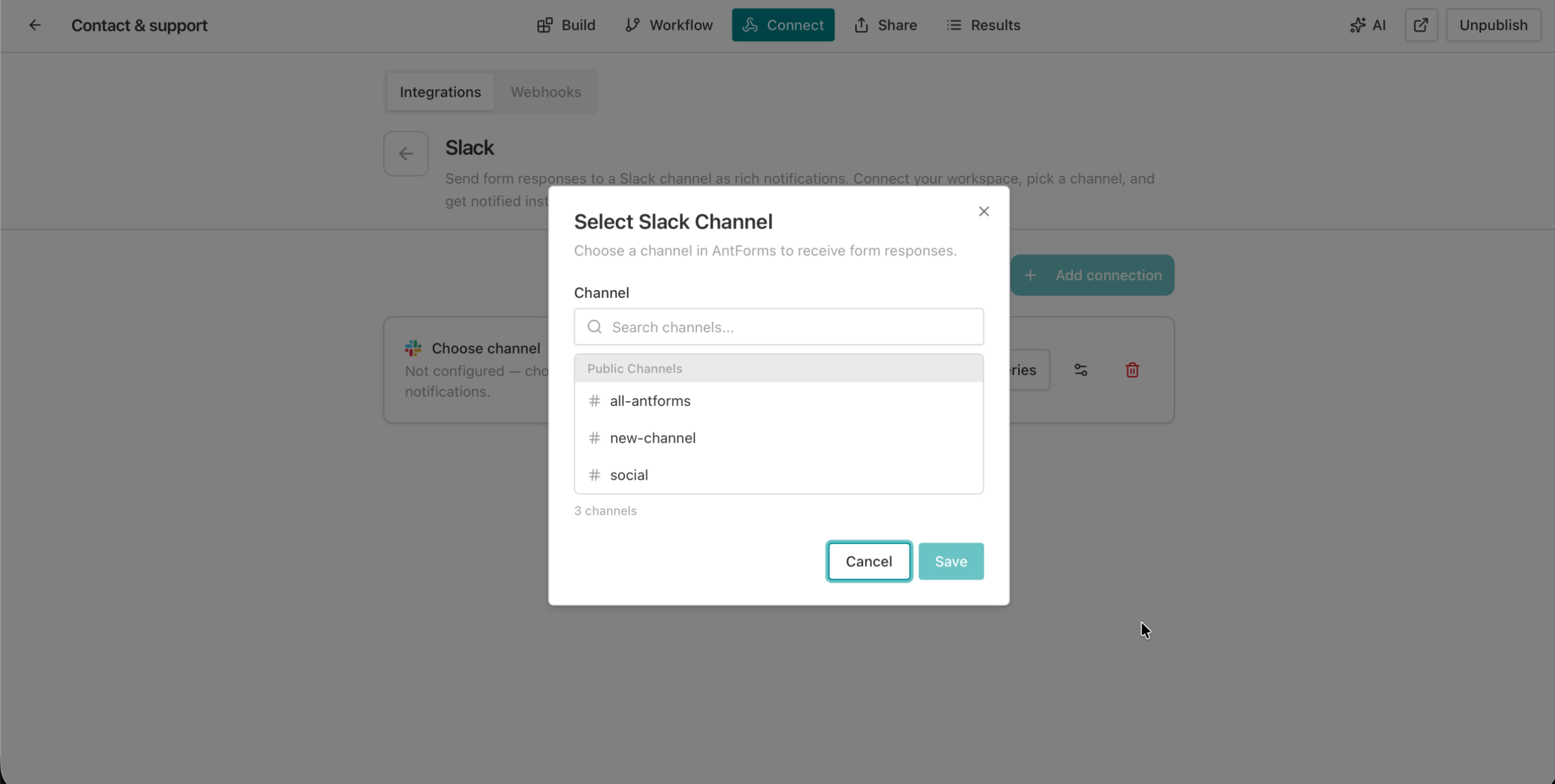
4. Select a channel
After authorization, a channel picker modal opens. Search for or scroll to the channel where you want submissions delivered. You will see both public channels (marked with #) and private channels (marked with a lock icon).
For private channels, you need to invite the AntForms bot first: type /invite @AntForms in that channel before selecting it.
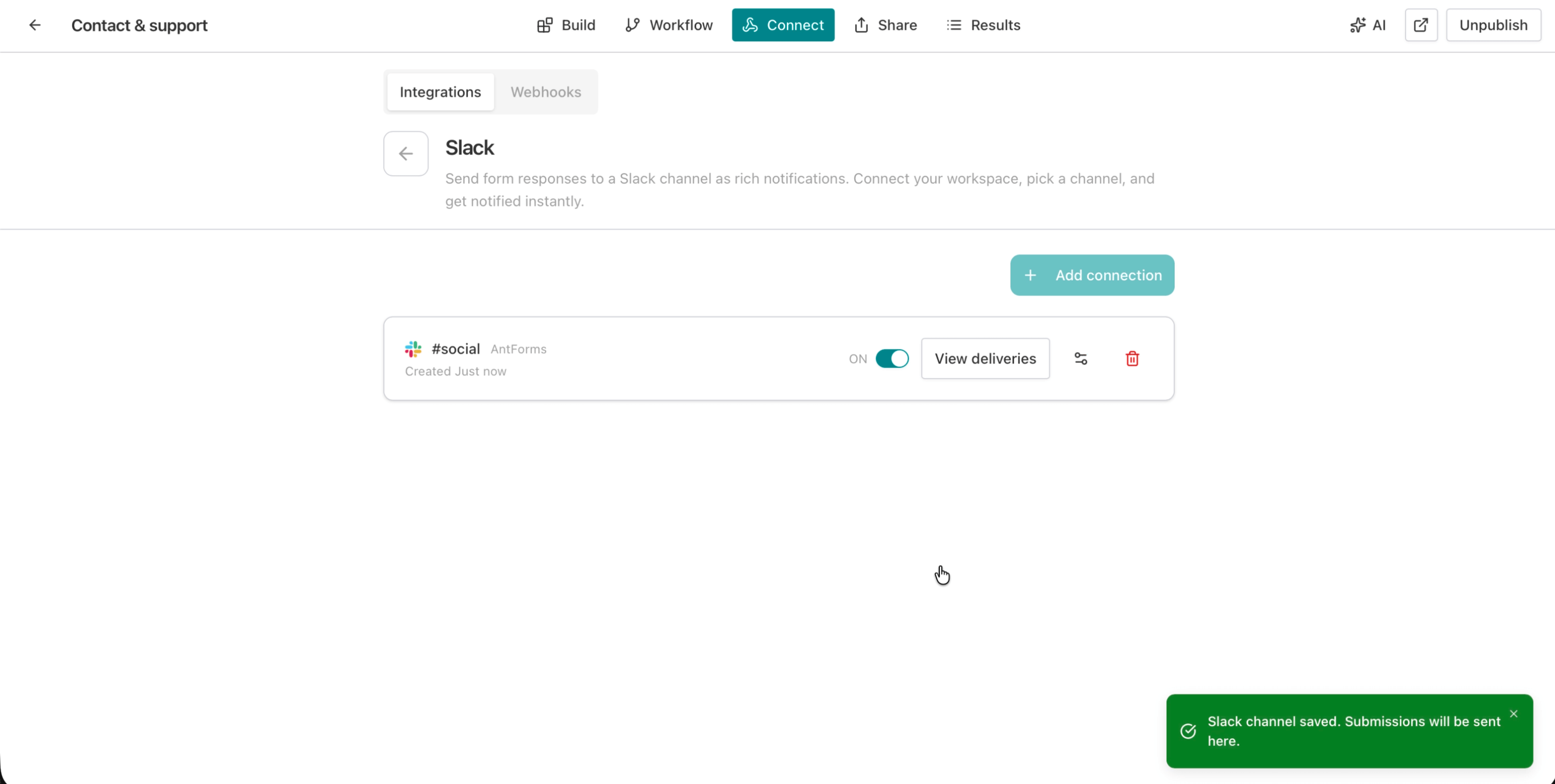
5. Confirm and test
Once you select a channel, you will see a green confirmation: “Slack channel saved. Submissions will be sent here.” The connection card shows the channel name, an ON/OFF toggle, and a “View deliveries” link.
Now submit your form to test. Fill out a response and check your Slack channel — the message should appear within 2 seconds.
6. See the result in Slack
Every submission appears as a rich Block Kit message in your selected Slack channel. The message includes the form title, all field values with contextual formatting, a timestamp, and a View Response button that links directly to the full response in your AntForms dashboard.
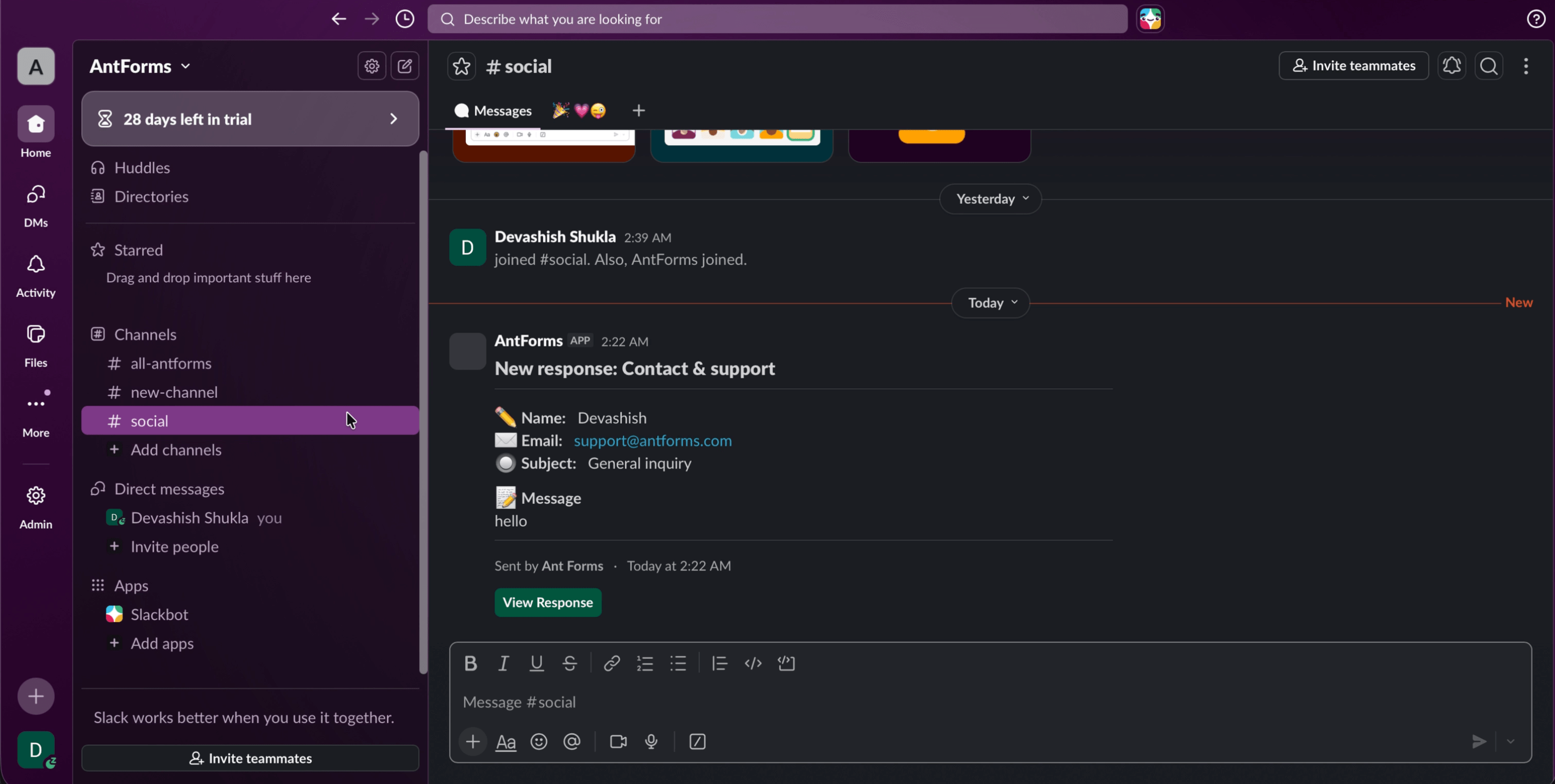
What the Slack message looks like
Each submission is formatted as a Slack Block Kit message, the same rich message format used by GitHub, Linear, and Sentry.
Message structure
| Section | Content |
|---|---|
| Header | Form title (e.g., “New response: Contact & support”) |
| Field values | Each field with an emoji prefix and label — short text, email, multiple choice, etc. |
| Special fields | Star ratings show ⭐⭐⭐ (3/5), NPS shows Promoter/Passive/Detractor with color, yes/no shows ✅ or ❌ |
| Timestamp | Timezone-aware submission time using Slack’s native date formatting |
| Action button | ”View Response” linking to the full response in your AntForms dashboard |
Field-specific formatting
- Short text, email, multiple choice — displayed as compact single-line entries
- Long text (over 100 characters) — gets its own full-width section
- Star rating — filled stars with count: ⭐⭐⭐⭐ (4/5)
- Opinion scale — visual bar chart showing percentage fill
- NPS score — color-coded category: 🔴 Detractor (0–6), 🟡 Passive (7–8), 🟢 Promoter (9–10)
- Yes/No — ✅ Yes or ❌ No
- Website URL — clickable hyperlink
- Rank — numbered list of items in order
- Empty fields — italicized dash (skipped gracefully)
Your team can scan a Slack notification and understand the response in seconds without clicking through to the dashboard.
Delivery tracking and retry
AntForms verifies that each message reaches Slack, tracks delivery status, and retries failed messages up to 5 times.
How delivery tracking works
Each connection has a View deliveries panel that shows:
- Status — Pending (queued), Success (delivered), or Failed (all retries exhausted)
- Attempt count — how many times delivery was attempted (max 5)
- Last attempt timestamp — when the most recent attempt occurred
- HTTP response code — the status code returned by Slack’s API
- Error message — detailed error text for debugging failed deliveries
- Session ID — links the delivery back to the specific form response
Automatic retry logic
When a delivery fails due to a transient error (network timeout, Slack rate limit, service unavailable), AntForms retries automatically:
- Max retries: 5 attempts per delivery
- Backoff: Exponential, starting at 60 seconds
- Rate limit aware: If Slack returns a
Retry-Afterheader, AntForms respects the exact delay - Concurrency: 5 parallel delivery workers with rate limiting (~1 message per 1.2 seconds) to stay under Slack’s API limits
Unrecoverable errors (revoked token, archived channel) are marked as Failed immediately without wasting retries. If your bot token is revoked because someone uninstalls the AntForms app from Slack, the connection is disabled to prevent an infinite retry loop.
Manual retry
For failed deliveries, you can click Retry in the deliveries panel to re-queue the message. You can also send a test message at any time to verify the connection is working.
Connection limits and plans
AntForms free tier includes 1 Slack connection per form, while Pro allows up to 3 for multi-channel routing to different teams.
| Plan | Connections per form | Use case |
|---|---|---|
| Free | 1 | Single channel for all submissions |
| Pro | 3 | Multi-channel routing (e.g., #leads, #support, #feedback) |
| Business | 3 (or custom) | Enterprise routing with dedicated channels |
Multiple connections let you route the same form submission to different channels based on your team’s workflow. A contact form could send to #sales for lead inquiries and #support for help requests. Currently all connections receive all submissions; channel-based routing by field value is on the roadmap.
AntForms vs. other form builders: Slack integration compared
AntForms is the only free form builder with native Slack integration that includes delivery tracking, automatic retry, and rich Block Kit formatting. Other form builders offer Slack connections, but none match the free-tier scope.
| Feature | AntForms | Typeform | Jotform | Google Forms |
|---|---|---|---|---|
| Native Slack integration | Yes (OAuth) | Yes (OAuth) | Yes (OAuth) | No (requires Zapier) |
| Free tier included | Yes (1 connection) | Paid only | Free (limited) | Zapier free tier (5-min delay) |
| Rich Block Kit messages | Yes (star ratings, NPS, scales) | Basic text | Basic text | Plain text via Zapier |
| Delivery tracking | Yes (status, retries, logs) | No | No | No |
| Automatic retry | Yes (5 attempts, exponential) | No | No | No |
| Private channel support | Yes | Yes | Yes | Via Zapier |
| Multiple connections per form | Yes (up to 3 on Pro) | 1 per form | 1 per form | Via separate zaps |
| Test message | Yes | No | No | No |
| No Zapier required | Yes | Yes | Yes | No — Zapier required |
| Setup time | ~60 seconds | ~2 minutes | ~3 minutes | ~10 minutes (with Zapier) |
AntForms is the only free form builder that includes native Slack integration with delivery tracking, automatic retry, and rich Block Kit formatting in the free tier.
Real-world use cases
Scenarios where teams use AntForms Slack notifications to cut response time and triage submissions in real time.
Lead notification
One of our early beta users, a B2B SaaS founder, connected their lead generation form to #sales-leads. Their median lead response time dropped from 12 minutes (email notifications) to 90 seconds. The sales team sees the lead’s name, email, company size, and budget range within 2 seconds and can respond before the lead leaves the website.
Support ticket triage
A contact form sends submissions to #support. The on-call engineer sees the subject line, message, and priority level without leaving Slack. Critical issues get a threaded response in minutes.
Event registration monitoring
An event registration form posts to #event-ops. The events team tracks sign-ups in real time and can see when capacity thresholds are approaching.
NPS and feedback collection
A post-purchase NPS survey sends scores to #product-feedback. The product team sees each score color-coded (Promoter, Passive, Detractor) and can follow up with detractors the same day.
Team onboarding
An internal onboarding form posts to #hr-onboarding. HR sees new employee details as they complete each step, without waiting for a batch email digest.
Tips for effective Slack form notifications
Rules for configuring Slack integrations that keep your team informed without creating noise.
- Use dedicated channels. Create a form-specific channel (#contact-form-responses, #nps-scores) rather than posting to #general. Keeps signal high and noise low.
- Enable notifications selectively. In Slack, mute channels that are informational and set alerts only for high-priority form channels.
- Test before going live. Use the “Send test message” button to verify the connection works and the message format looks right in your channel.
- Monitor deliveries weekly. Check the deliveries panel for Failed status. A pattern of failures often means a token issue or channel misconfiguration.
- Use Pro for routing. If your form serves multiple purposes (sales + support), set up separate connections to route submissions to the right team channel.
- Invite the bot to private channels. Type
/invite @AntFormsin any private channel before selecting it in the channel picker. Without this, delivery will fail. - Pair with webhooks for automation. Use Slack notifications for human visibility and webhooks for automated downstream processing (CRM, database, email sequences).
What happens when you uninstall the app
If someone removes the AntForms app from your Slack workspace, AntForms disables all connections for that workspace via the app_uninstalled event. No retries are wasted, no error messages accumulate. When you reconnect, authorize again and select your channels.
If only specific bot tokens are revoked (without full uninstall), AntForms detects the tokens_revoked event and disables only the affected connections.
What is next
The Slack integration is the first of several native integrations coming to AntForms. We are building toward a system where form submissions can route to any tool your team uses: Slack, Google Sheets, email, CRMs, all without middleware or third-party automation.
Limitations to know: The integration sends all submissions to all connected channels. Field-based routing (e.g., send sales leads to #sales, support tickets to #support) is on the roadmap but not yet available. Slack messages include all form fields; you cannot filter which fields appear in the notification. Private channels require a manual bot invite before connecting. Jotform’s Slack integration supports conditional notifications where only submissions matching specific field values trigger a message. Typeform allows customizing which fields appear in the Slack message. AntForms does not offer either of these yet, so high-volume forms may create noise in your Slack channel if you cannot filter by field content.
If you want to try the Slack integration now, create a free AntForms account and connect your first form in under 60 seconds.
Key takeaways:
- AntForms connects to Slack natively via OAuth 2.0, no Zapier, no code, no middleware
- Every submission becomes a rich Block Kit message with field values, star ratings, NPS scores, and a “View Response” button
- Delivery tracking with automatic retry (5 attempts, exponential backoff) is built in
- Free tier includes 1 Slack connection per form. Pro allows 3 for multi-channel routing
- Setup takes under 60 seconds: authorize, pick a channel, done
- Private channels supported. Invite @AntForms first
- Uninstall and token revocation are handled automatically via Slack Events API