


AntForms Zapier Integration: Connect Your Forms to 7,000+ Apps
AntForms Zapier integration lets you trigger automated workflows in thousands of apps every time someone submits your form. The integration uses Zapier’s REST Hook protocol (a subscription-based webhook system where apps register and unregister automatically, with no polling delays) for instant delivery. No middleware and no code required.
If you want to automate what happens after a form submission (adding rows to Google Sheets, creating CRM contacts, sending email sequences, posting to Slack), this integration connects your forms to the 7,000+ apps Zapier supports.
TL;DR Generate an API key in AntForms, create a Zap with the “New Form Submission” trigger, and connect your form to any app Zapier supports. Delivery tracking with automatic retry is built in. AntForms provides the trigger for free; you only need a Zapier account.
Why automate form submissions with Zapier
Automating form submissions with Zapier eliminates manual data entry and reduces errors.
- Zapier reports that automation saves the average small business 10+ hours per week on repetitive tasks (Zapier, 2025)
- 74% of workers say they spend time on tasks that could be automated (UiPath survey)
- Form-to-CRM delays of even 5 minutes can reduce lead qualification rates by 80% (Harvard Business Review)
We built the Zapier integration because our users kept asking for the same three automations: form → Google Sheets, form → CRM, and form → email notification. Rather than building native integrations for every tool, Zapier gives our users access to thousands of apps through a single connection. AntForms already has native Slack and Google Sheets integrations. Zapier fills the gap for everything else.
How the AntForms Zapier integration works
AntForms connects to Zapier through a REST Hook subscription model with API key authentication and automatic delivery tracking. When you turn on a Zap, Zapier sends a subscribe request to AntForms. Every form submission after that triggers a webhook POST to Zapier’s hook URL with the response data.
Architecture overview
The integration has four layers:
- API key authentication — you generate a key in AntForms (format:
af_zap_<32-byte-base64url>). The key is SHA-256 hashed before storage — AntForms never stores the plaintext. You paste this key into Zapier to authenticate. - REST Hook subscription — when you create a Zap with the “New Form Submission” trigger, Zapier calls AntForms’ subscribe endpoint. AntForms creates a subscription record linking your form to Zapier’s hook URL.
- Delivery pipeline — on each form submission, AntForms enqueues a delivery job via BullMQ (an open-source Redis-backed job queue for Node.js). The worker POSTs the submission data to Zapier’s hook URL with a 15-second timeout.
- Circuit breaker — if a subscription fails 5 times consecutively, AntForms auto-disables it to prevent infinite retries. Success resets the counter.
Security
- API keys are SHA-256 hashed at rest; plaintext is never stored
- Hook URLs are validated to allow only
hooks.zapier.comdomains (SSRF protection, preventing Server-Side Request Forgery) - Outbound requests include DNS rebinding checks with IP pinning
- Each API key shows a prefix (
af_zap_xxxx...) for identification without exposing the full key - Key revocation disables all subscriptions using that key within seconds
How to connect AntForms to Zapier: step by step
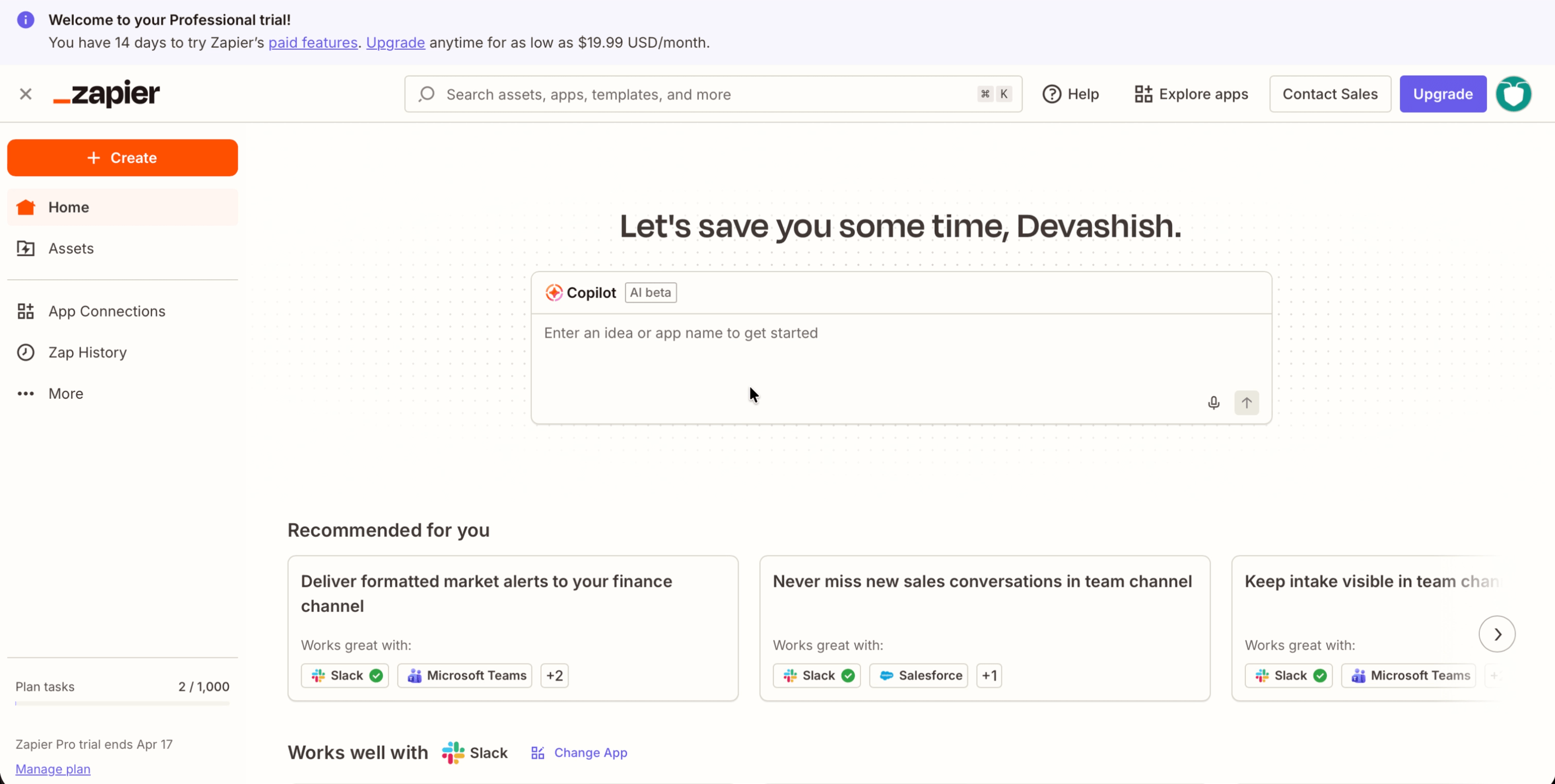
Connecting AntForms to Zapier takes about 5 minutes: generate an API key, create a Zap, authenticate, select your form, and map fields.
1. Open the Integrations tab
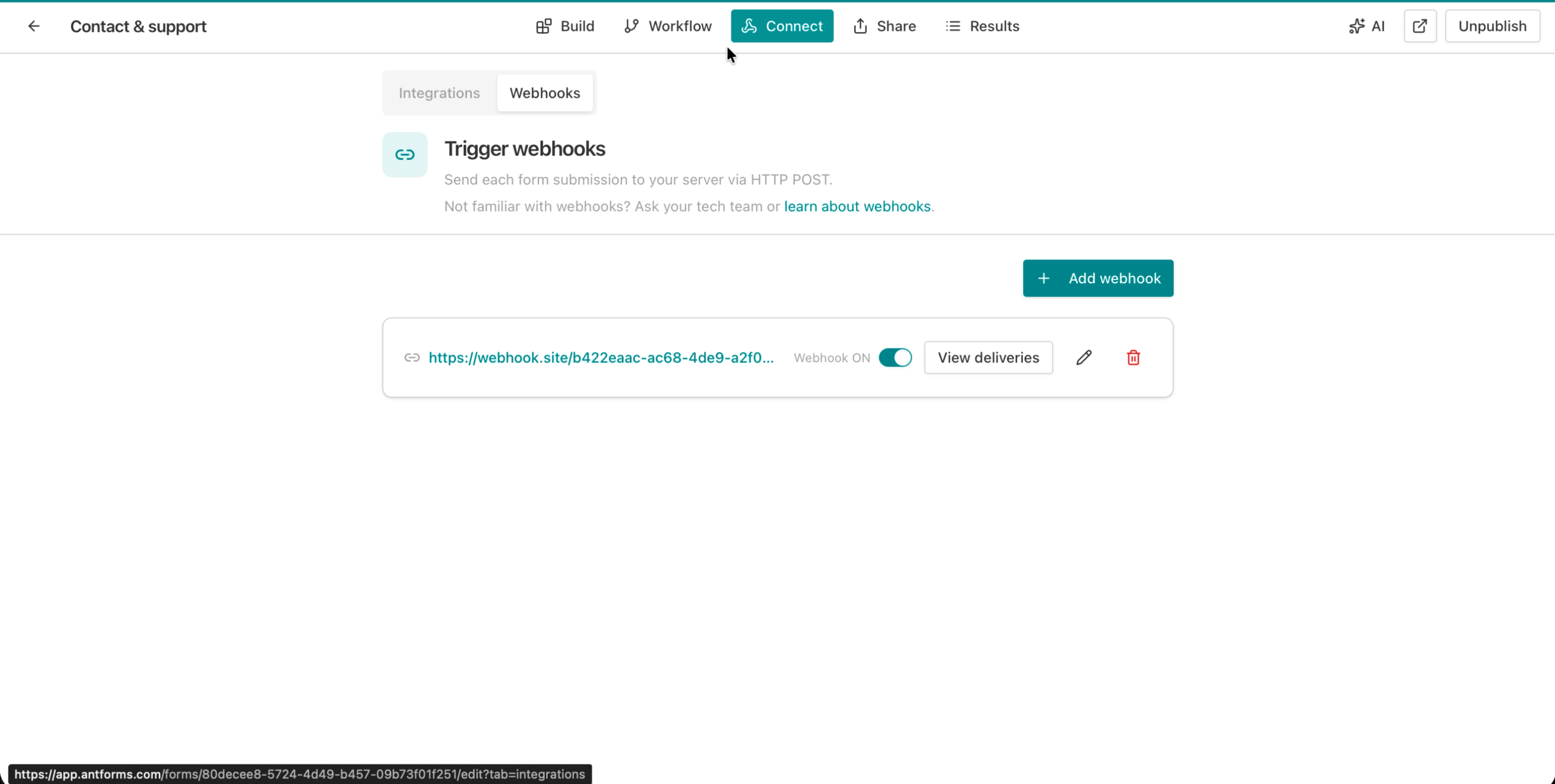
In your form editor, click the Integrations tab. You will see the integrations overview with Google Sheets, Slack, and Zapier cards.
2. Generate an API key
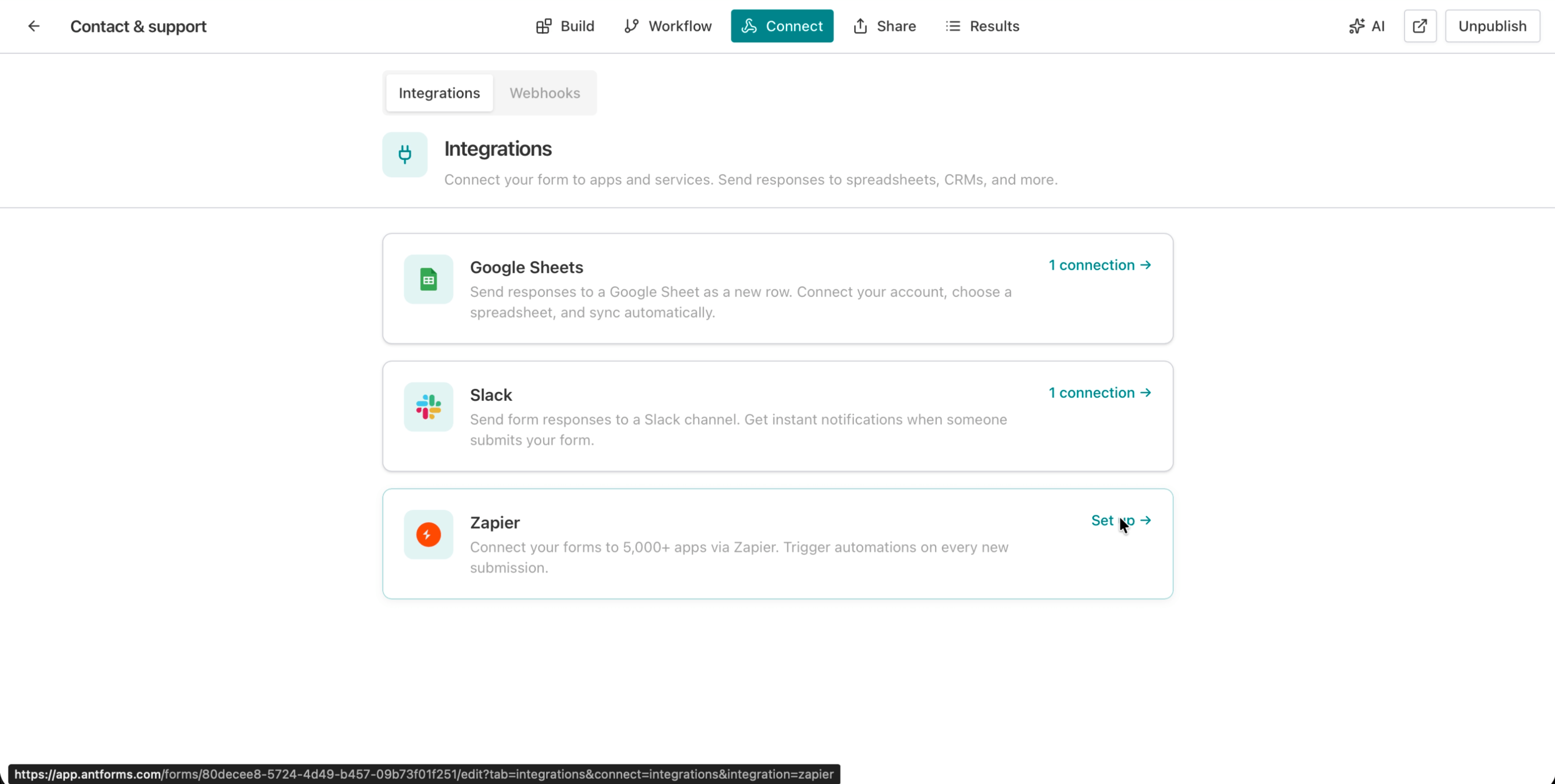
Click Set up next to Zapier. You will see the Zapier detail page with a Generate API Key button.
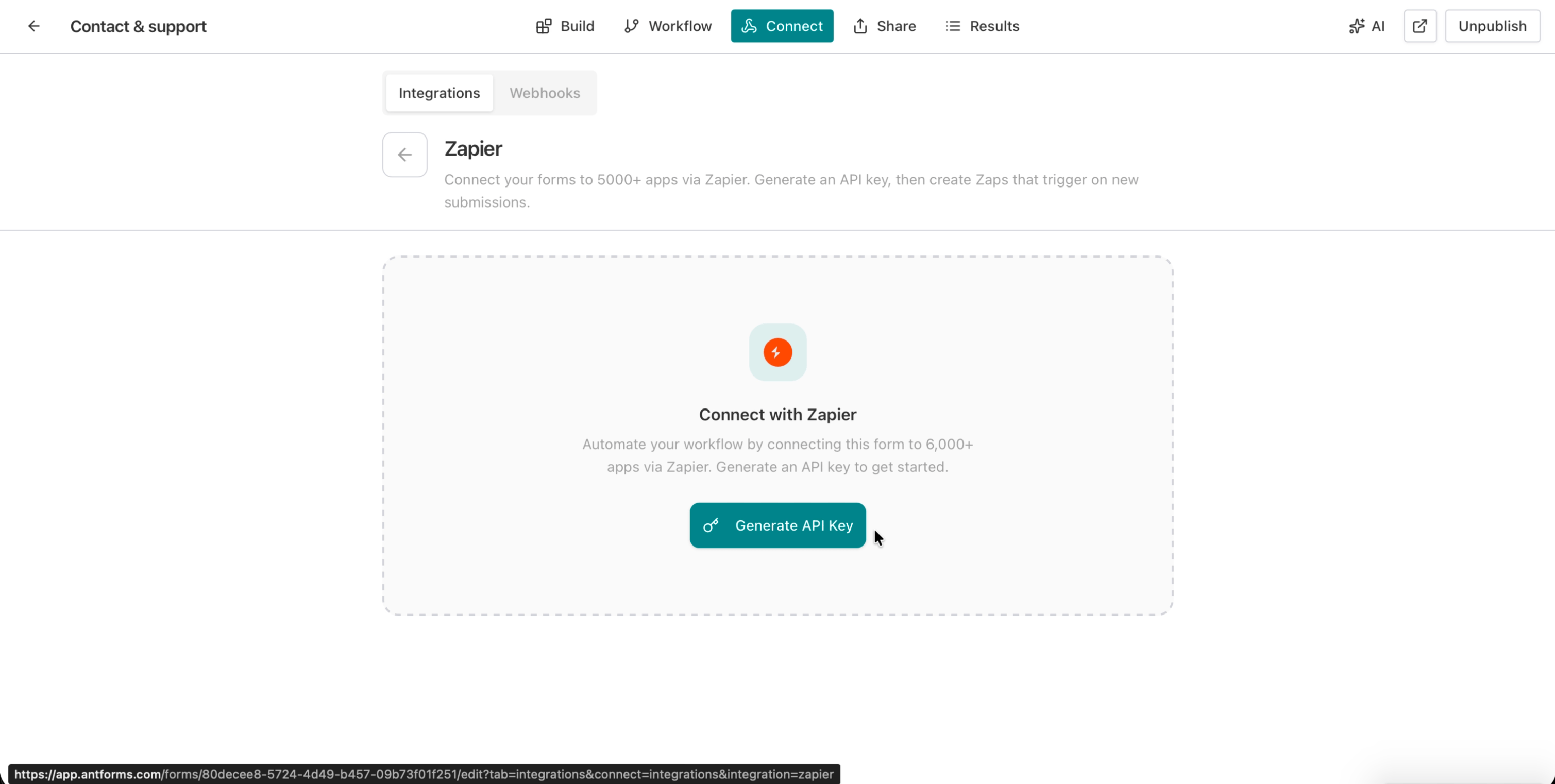
Click Generate API Key. AntForms creates a new key and displays it once in a modal dialog. Copy the key immediately and store it securely. You will not be able to see it again.
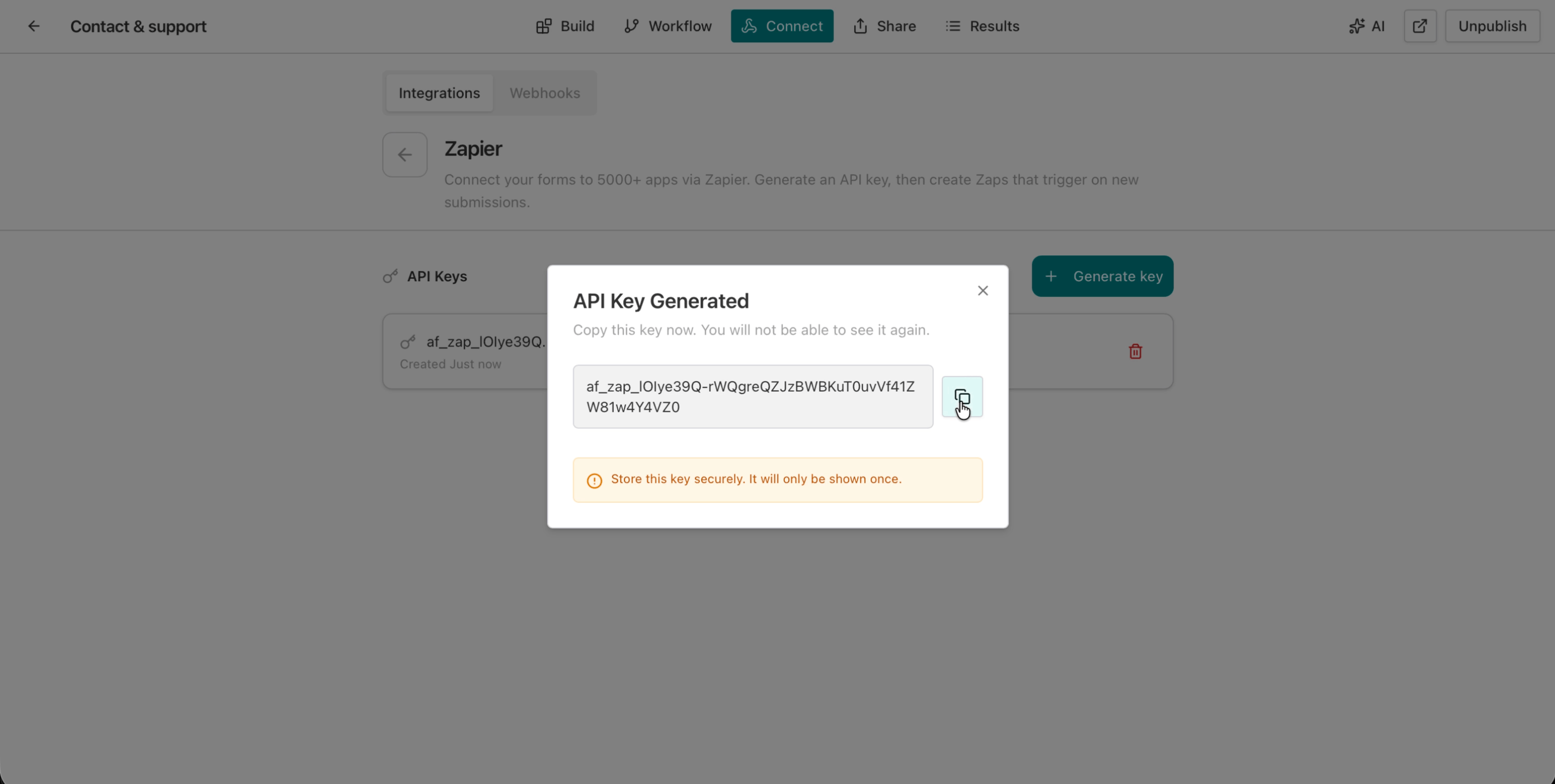
The warning at the bottom is important: “Store this key securely. It will only be shown once.” If you lose it, generate a new one and update your Zaps.
3. Create a Zap in Zapier
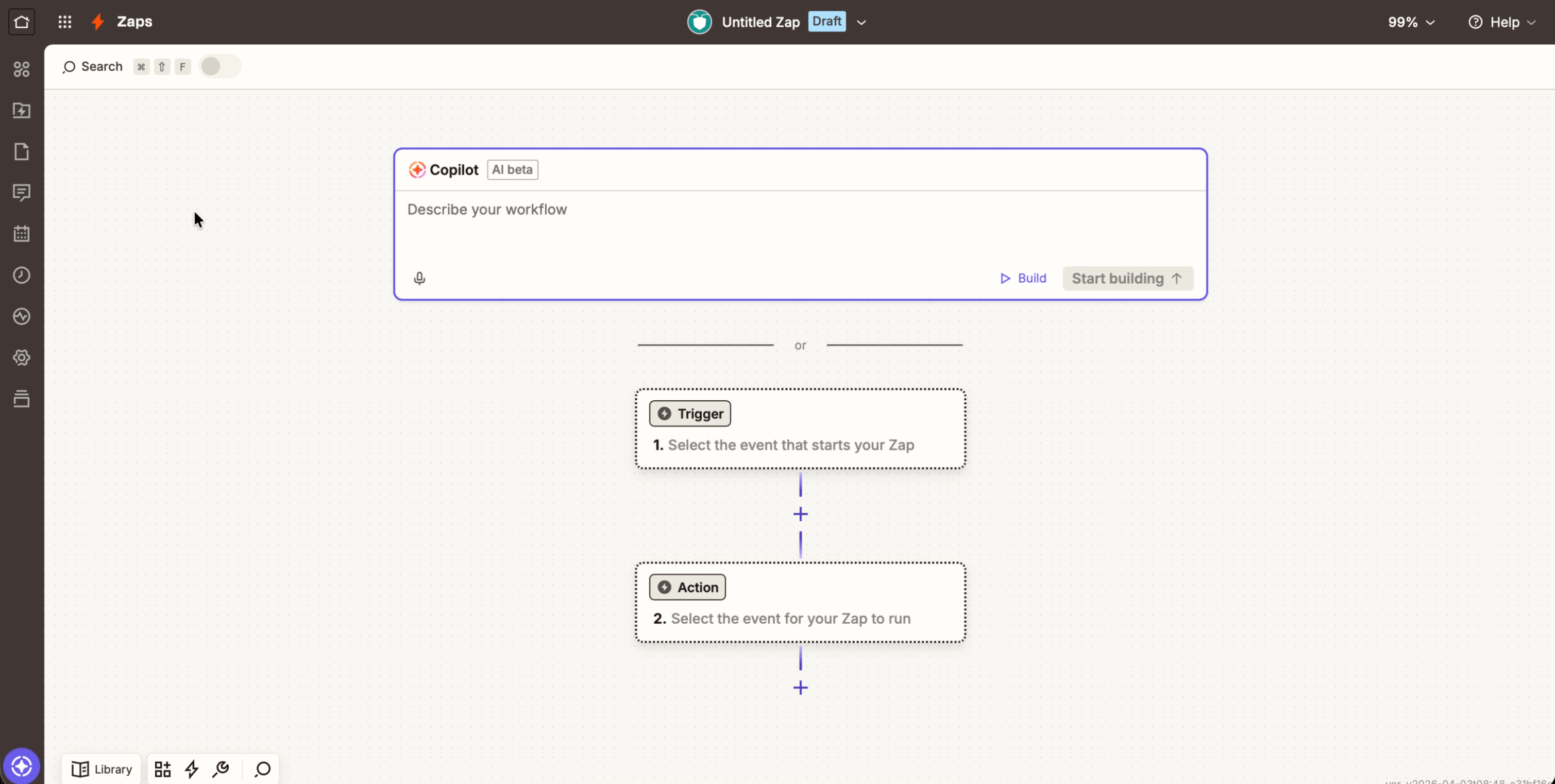
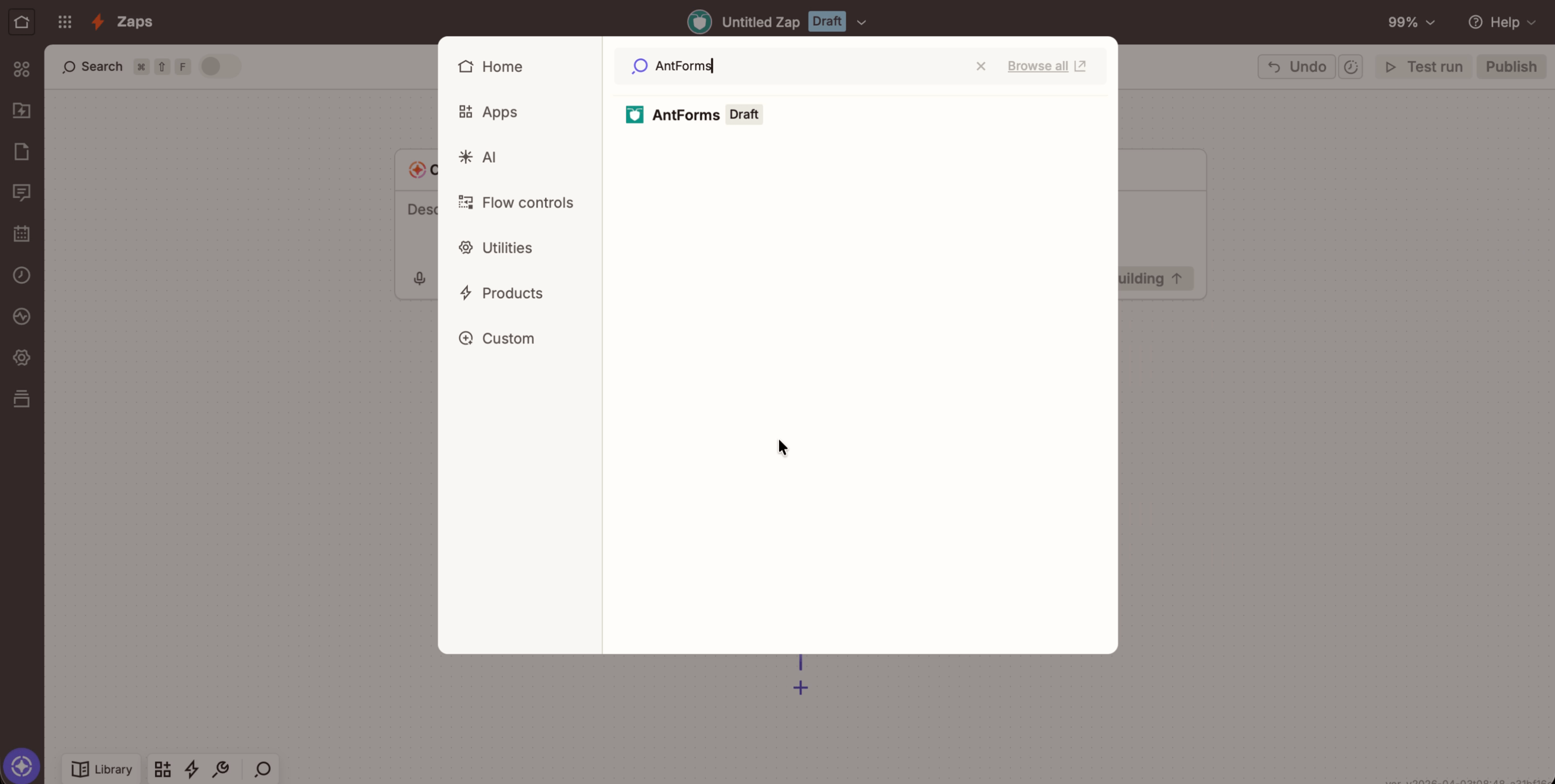
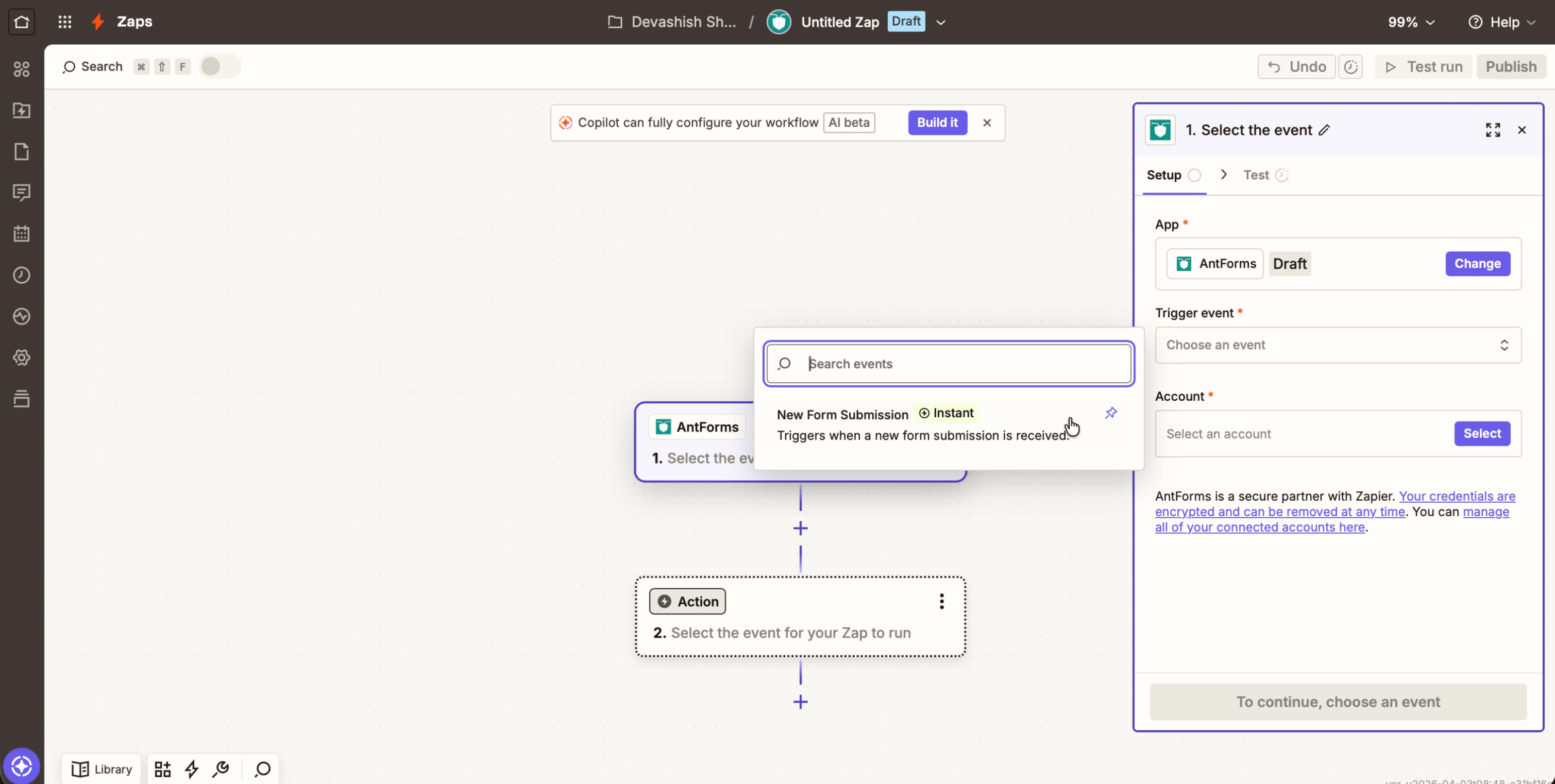
Go to zapier.com, click Create Zap, and search for AntForms as the trigger app. Select New Form Submission as the trigger event.
4. Authenticate with your API key
Zapier will ask you to connect your AntForms account. Click Sign in to AntForms. A dialog opens asking you to paste your API key. Enter the key you copied in step 2 and click Yes, Continue to AntForms.
5. Select your form
After authentication, Zapier shows a dropdown of your published forms. Select the form you want to automate.
6. Map fields and test
Zapier pulls sample data from your form so you can map fields to your destination app. You will see all your form fields available for mapping: text fields, email, multiple choice, ratings, and more.
Click Test trigger to verify the connection works. Zapier will pull a sample submission from your form.
7. Add an action and publish
Choose your destination app (Google Sheets, HubSpot, Mailchimp, Notion, etc.), map the form fields to the action fields, and click Publish. Every future submission will trigger the Zap automatically.
What data Zapier receives
AntForms sends a flat JSON payload containing all form field values, metadata, and a unique event ID to Zapier on each submission. Each form field becomes a top-level key for easy mapping.
Payload structure
| Field | Example | Description |
|---|---|---|
id | "d4e5f6a7-..." | Unique delivery ID |
event_type | "form_response" | Always “form_response” |
created_at | "2026-04-05T10:00:00.000Z" | Submission timestamp (ISO 8601) |
form_id | "a1b2c3d4-..." | Your form’s unique ID |
form_title | "Contact & support" | Form title as configured |
Name (stable-id) | "Jane Doe" | Single-field block: direct value |
Email (stable-id) | "jane@example.com" | Email field value |
Address (stable-id) | { "Street": "123 Main", "City": "Austin" } | Multi-field block: nested object |
Key design decisions:
- Flat structure. Zapier’s field mapper works best with top-level keys. AntForms flattens the nested webhook payload so every field is accessible.
- Stable IDs in keys. Field keys include a stable ID (e.g.,
Name (abc123)) to prevent breakage if you rename a field label. Zapier uses the key, not the display name, for mapping. - Multi-field blocks. Composite blocks like Address and Contact Info are sent as nested objects with sub-field labels as keys.
- STATEMENT blocks. Skipped (null) since they contain no response data.
Delivery tracking and circuit breaker
AntForms tracks every Zapier delivery with per-message status, automatic retry up to 5 attempts, and a circuit breaker that disables broken subscriptions after 5 consecutive failures. Delivery tracking works the same way as Slack notifications and webhooks.
Delivery states
| Status | Meaning |
|---|---|
| Pending | Queued for delivery, awaiting worker processing |
| Success | Delivered to Zapier’s hook URL (HTTP 2xx response) |
| Failed | All retry attempts exhausted or unrecoverable error |
Retry logic
When a delivery fails due to a transient error, AntForms retries automatically:
- Max retries: 5 attempts per delivery
- Backoff: Exponential, starting at 60 seconds (each retry waits twice as long as the previous)
- Rate limiting: If Zapier returns HTTP 429 with a
Retry-Afterheader, AntForms respects the exact delay - HTTP 410 Gone: If Zapier returns 410 (hook removed), the subscription is auto-disabled because the user deleted the Zap
- Concurrency: Configurable worker pool (default 5 parallel jobs)
Circuit breaker
After 5 consecutive delivery failures on a single subscription, AntForms disables that subscription to stop wasting resources on broken connections. The counter resets to zero on any successful delivery.
You can see subscription health in the Integrations tab — each active Zap shows its status (Active, Disabled, Failing) and consecutive failure count.
We learned the circuit breaker threshold during beta. We set it at 10 failures at first, but a user’s expired Zapier OAuth token generated 10 wasted retries over 8+ hours before the subscription was disabled. After analyzing delivery logs, we dropped the threshold to 5: tight enough to stop broken connections fast, generous enough to ride out Zapier’s occasional 5xx errors during deploys.
Stale delivery recovery
A background sweeper runs every 2 minutes to catch deliveries stuck in Pending status for more than 5 minutes (caused by queue unavailability). These are re-enqueued in batches of up to 100.
Popular Zapier automations for forms
The most common Zaps AntForms users build fall into five categories.
Form → Google Sheets
Every submission adds a new row to a spreadsheet. AntForms also has a native Google Sheets integration, but Zapier adds flexibility: you can apply filters, format data, or chain additional actions before the row is written.
Form → CRM (HubSpot, Salesforce, Pipedrive)
Lead generation forms create new contacts or deals in your CRM. No manual data entry, no copy-paste errors. The lead lands in your pipeline before they close the browser tab.
Form → Email (Gmail, Mailchimp, SendGrid)
Trigger a confirmation email, add the respondent to a drip campaign, or alert your team with a custom email. All from a single form submission.
Form → Project management (Notion, Asana, Trello, Linear)
Client intake forms create new tasks or database entries. Project briefs, bug reports, and feature requests land in your team’s workflow tool.
Form → Slack + CRM + Sheets (multi-step)
Chain multiple actions in one Zap: notify the sales team in Slack, create a HubSpot contact, and log the submission in Google Sheets. A single contact form submission triggers the whole chain.
AntForms Zapier vs. direct webhooks
AntForms offers both Zapier integration and direct webhooks. Use Zapier for no-code connections to SaaS apps. Use direct webhooks when you need full payload control and custom backend logic.
| Factor | Zapier | Direct webhooks |
|---|---|---|
| Best for | Non-technical users, no-code workflows | Developers, custom backends |
| Setup | Visual Zap builder, no code | Requires writing endpoint code |
| Apps supported | 7,000+ via Zapier’s catalog | Any URL you control |
| Payload format | Flat JSON (Zapier-optimized) | Nested JSON (full structure) |
| Filtering/logic | Built into Zapier’s paths and filters | Must code your own logic |
| Cost | Zapier plan required for complex Zaps | Free (unlimited with AntForms) |
| Delivery tracking | Built into both AntForms and Zapier | Built into AntForms |
| Latency | Near-instant (REST Hook, no polling) | Near-instant |
Zapier fits no-code connections to SaaS apps. Webhooks fit developers who need full payload control, custom processing logic, or want to avoid Zapier’s per-task pricing.
Limits and pricing
AntForms provides the Zapier trigger for free on all plans with up to 10 API keys per workspace and 20 subscriptions per form. You only pay for your Zapier account based on task volume.
| Resource | Limit |
|---|---|
| API keys per workspace | 10 |
| Zapier subscriptions per form | 20 |
| Delivery retries per message | 5 attempts |
| Circuit breaker threshold | 5 consecutive failures |
| Webhook timeout | 15 seconds |
AntForms does not charge for the Zapier integration. API key generation, subscription management, and delivery tracking are included in all plans. You pay for your Zapier account based on task count (submissions × actions per Zap).
Zapier’s free plan includes 100 tasks/month and 5 active Zaps, enough for low-volume forms. Their paid plans start at $19.99/month for 750 tasks.
Tips for reliable Zapier automations
Rules for building Zaps that deliver and avoid common pitfalls with API keys and field mapping.
- Test before publishing. Click “Test trigger” in Zapier to verify field mapping before turning on the Zap. A broken field reference causes silent data loss.
- Store API keys securely. Treat your API key like a password. If compromised, revoke it from the Integrations tab. All Zaps using that key stop within seconds.
- Monitor consecutive failures. Check the Integrations tab weekly. A “Failing” status often means a disconnected destination app or an expired OAuth token on Zapier’s side.
- Use stable field references. AntForms includes stable IDs in field keys (e.g.,
Name (abc123)). Renaming a field in the form builder will not break existing Zaps because Zapier references the ID, not the label. - Consider native integrations first. For Slack notifications and Google Sheets, AntForms’ native integrations are faster (instant vs. Zapier’s polling interval) and included free without task limits.
- Use multi-step Zaps for complex workflows. Chain actions (Sheets + CRM + email) in a single Zap rather than creating separate Zaps for the same form. This reduces task consumption and keeps logic in one place.
What is next
The Zapier integration opens AntForms to the entire no-code automation ecosystem. We are continuing to build native integrations for the most-requested tools. Slack and Google Sheets are already live. Zapier ensures you can connect to any app today without waiting.
Limitations to know: Zapier’s free plan caps at 100 tasks/month and 5 active Zaps, which can run out fast for high-traffic forms. AntForms sends a flat payload optimized for Zapier’s field mapper, but complex nested data (like multi-field Address blocks) requires extra mapping steps in Zapier. The circuit breaker disables subscriptions after 5 consecutive failures, so a misconfigured destination app can silently stop your automation until you check the Integrations tab. Typeform and Jotform both offer more native integrations (HubSpot, Mailchimp, Salesforce) that bypass Zapier’s task limits entirely. If your primary destination is one of those tools, a native integration from a competitor may be more cost-effective than routing through Zapier. AntForms currently supports only the “New Form Submission” trigger; there is no trigger for partial submissions or form abandonment events.
If you want to try it now, create a free AntForms account, generate an API key, and build your first Zap in under 5 minutes.
Key takeaways:
- AntForms integrates with Zapier via REST Hook. Instant delivery, no polling delays
- “New Form Submission” trigger sends a flat JSON payload optimized for Zapier’s field mapper
- API keys are SHA-256 hashed at rest and shown only once. Revocation disables all connected Zaps
- Delivery tracking with 5-attempt exponential retry and circuit breaker is built in
- Up to 10 API keys per workspace and 20 subscriptions per form
- AntForms provides the Zapier trigger for free. You only need a Zapier account
- For Slack and Google Sheets, native integrations are faster and free of task limits