

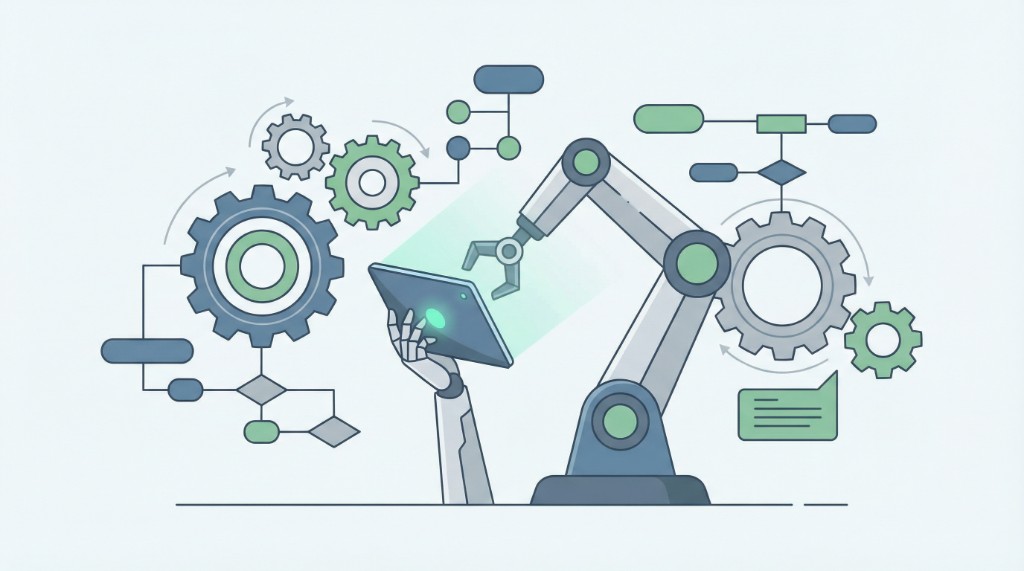
Forms aren’t just for collecting data—they can trigger workflows. When someone submits a form, you can route that submission to the right team, update a CRM, send a Slack alert, or kick off an approval flow. In 2026, forms as automation engines mean: smart forms (with conditional logic) plus webhooks and integrations, so each submission does useful work without manual handoffs. Webhooks are event-driven: they send real-time data to a specified URL when a predefined action (e.g. form submit) occurs, so your CRM or internal tool is notified immediately instead of polling—reducing latency and load.
What you’ll learn: How to use forms to automate next steps—webhooks to CRM or Slack, logic so different answers trigger different actions, and how Antforms fits in with unlimited responses, branching, and webhook support so you can scale automation without hitting caps.
Forms as the trigger for automation
Every form submission is an event. The event has structure: who, when, and what they answered. If you send that event to another system (CRM, help desk, internal tool), you automate the next step. No one has to copy-paste from an inbox into a spreadsheet or CRM. Webhooks are lightweight, customizable, and ideal for time-sensitive flows like lead notifications and CRM updates.
Forms as automation engines means:
- Structured input: The form defines the fields. You get consistent data (name, email, segment, custom fields) on every submission.
- Routing by answer: Conditional logic in the form can send people down different paths; you can use the same logic (or the data) to route the submission. E.g. “Hot lead” → create CRM task for sales; “Info only” → add to newsletter and no task.
- Instant delivery: Webhooks POST the submission to a URL as soon as it’s submitted. Your CRM, middleware, or custom API can then create contacts, send notifications, or start a workflow.
So the form is both user-facing (good UX, logic, analytics) and system-facing (reliable, consistent payload for automation). Antforms gives you both: workflow and branching in the form and webhooks to send each response where it needs to go in 2026.
Designing forms for automation
To automate well, the form must output consistent, actionable data. That means:
- Stable field names and values. Your webhook consumer (CRM, Zapier, custom script) expects the same keys and value formats every time. Use clear, stable names for form fields (e.g.
email,company_size,segment). - Enough context for routing. Include a field that indicates “type” or “segment” (e.g. from a branching path or a hidden field). Then your automation can branch: if
segment === 'hot', create task; else, add to nurture. - No ambiguity. Prefer multiple choice or dropdown over free text when the next step depends on it. Free text is fine for “Comments”; for “Priority” or “Department,” use fixed options so automation can act without parsing.
In Antforms, you design the form and blocks as usual; the response payload sent by the webhook includes all block IDs and answers. Map those in your endpoint or middleware to your CRM fields or workflow steps. For details, see webhooks for form submissions and webhooks for developers.
Webhooks and integrations
Webhooks are the bridge from form to automation. On submit, Antforms sends an HTTP POST to your URL with the response data (and optionally headers for verification). Your endpoint can:
- Create or update a contact in your CRM.
- Send a message to Slack or Teams with key fields and a link to the response.
- Insert a row in Google Sheets or Airtable.
- Call another API to start an approval or provisioning workflow.
You can configure one or more webhooks per form. If you need different behavior by segment, you can either (a) send all submissions to one endpoint that branches on payload fields, or (b) use a middleware like Zapier that routes by field value. In 2026, starting with one webhook that does the main action (e.g. CRM create) is enough; add branching logic in the receiver as you scale.
Security and reliability best practices: Use signature verification (e.g. HMAC-SHA256) to confirm requests come from your form provider; respond with 2xx to acknowledge receipt. For scalability, consider responding with 202 Accepted and processing asynchronously, storing event IDs to prevent duplicate processing on retries, and validating payload schema early. Platforms like HubSpot support webhook-triggered workflow enrollment so form submissions can automatically create contacts and trigger assignment workflows.
Where AI fits in
AI can support the form design (e.g. AI assist in Antforms to draft or refine questions) and, in your stack, the processing of submissions (e.g. AI that summarizes feedback or suggests next steps). The “automation engine” is the form + webhook + your backend; AI can sit in the form builder or in the code that handles the webhook. For most teams, the first step is getting the form and webhook reliable; then you can add AI-powered parsing or routing on the backend.
Best practices
- Test webhooks with real submissions. Use a test form and a small script or Request Bin to confirm payload shape and timing before connecting to production CRM.
- Handle failures. If the webhook endpoint is down or returns an error, have a retry or queue so you don’t lose submissions. Check your provider’s docs for retry behavior.
- Keep form logic and automation logic aligned. If you add a new path or field in the form, update your automation to use it (or ignore it explicitly) so routing stays correct.
- Use form analytics. Completion and drop-off still matter; automation doesn’t replace good form design. Iterate on the form while you scale automation in 2026.
Example automation flows
Lead capture: Form with segment/timeline questions → webhook to CRM → create contact, set lead score, trigger “hot lead” workflow or assign to sales. Event registration: Form with ticket type and attendee details → webhook to event tool or sheet → add to list, optionally trigger confirmation email. Support ticket: Form with category and description → webhook to help desk → create ticket, notify team. Internal request: Form with request type and details → webhook to PM tool → create task, assign by department. In each case, the form provides structured input; the webhook delivers it in real time; your backend or middleware does the rest. Conditional logic in the form can send different payloads (e.g. different “type” or “priority” values) so one endpoint can branch and route correctly. Antforms supports unlimited responses and multiple webhooks per form, so you can scale these AI workflow patterns without hitting caps in 2026. Start with one form and one webhook (e.g. contact form → CRM); once that’s reliable, add more forms or branch logic in your endpoint. Form automation grows incrementally—get the first flow right, then expand. For technical details on payload shape and retries, see webhooks for developers. AI workflow patterns in 2026 often combine form webhooks with backend AI (e.g. summarization of feedback or suggested next steps); the form remains the trigger and data source, while automate form data flows into your systems for form routing and processing. Antforms automation with unlimited responses and form workflow support lets you scale form automation without per-response costs.
Summary
Forms as automation engines mean: design forms with conditional logic for relevance, send submissions via webhooks to your CRM or tools, and let each submission trigger the right next step. Use Antforms for unlimited responses, workflow and branching, and webhook support. For more, see webhooks to sync form data to Google Sheets or Airtable and instant lead notifications to Slack or email.
Try Antforms free and connect your first form to a webhook in minutes.