


Instant Lead Notifications with Form Webhooks — Slack, Email, Teams
Problem: Form submissions sit in the form builder until someone remembers to check. By the time sales looks, the lead has gone cold or to a competitor.
Solution: Use webhooks to trigger instant notifications on every form submit—send form submissions to Slack, send email, ping Microsoft Teams, or call any URL that can alert your team. Real-time lead notification means your team can follow up in minutes. For other webhook use cases, see send form submissions to your CRM, sync form data to Google Sheets or Airtable, and form webhooks for developers.
This guide is for sales teams and SMBs who want immediate lead alerts (Slack, email, or custom) without polling or manual checks. You’ll see the webhook payload, how to add a webhook in the form builder, and examples for Slack and a generic “send email” endpoint.
What you get
- Every submission sent as an HTTP POST to a URL you choose (e.g. Slack Incoming Webhook, your notification service, or a small backend that sends email).
- Structured payload with
event_id,event_type,created_at, and data.responses (keyed by block label: Name, Email, Message, etc.) so your notification can include lead details. - Optional signing secret so your server can verify the request.
- Delivery history in the app: see success/failure and retry failed deliveries.
No need to refresh the form inbox—your channel or inbox gets the alert in real time.
Webhook payload template (form_response)
Each form submission triggers a POST to your webhook URL with a JSON body. Headers include Content-Type: application/json, User-Agent: Jupiter-Forms-Webhook/1.0, X-Jupiter-Event-Id, X-Jupiter-Event-Type, and (if you set a secret) X-Jupiter-Signature. Body shape:
{
  "event_id": "550e8400-e29b-41d4-a716-446655440000",
  "event_type": "form_response",
  "created_at": "2026-02-15T14:32:00.000Z",
  "data": {
    "form": { "id": "form-uuid", "title": "Contact", "slug": "contact" },
    "session": {
      "id": "session-uuid",
      "status": "COMPLETED",
      "started_at": "2026-02-15T14:31:00.000Z",
      "completed_at": "2026-02-15T14:32:00.000Z",
      "metadata": {}
    },
    "responses": {
      "Name": { "blockId": "b1", "blockType": "SHORT_TEXT", "responses": { "text": "Jane Doe" } },
      "Email": { "blockId": "b2", "blockType": "EMAIL", "responses": { "email": "jane@company.com" } },
      "Message": { "blockId": "b3", "blockType": "LONG_TEXT", "responses": { "text": "Interested in a demo" } }
    }
  }
}
Use data.responses (keyed by block label, each with blockId, blockType, responses) to build your Slack message, email body, or Teams card. Your endpoint should return 2xx so we mark the delivery as successful.
How to add a webhook (quick steps)
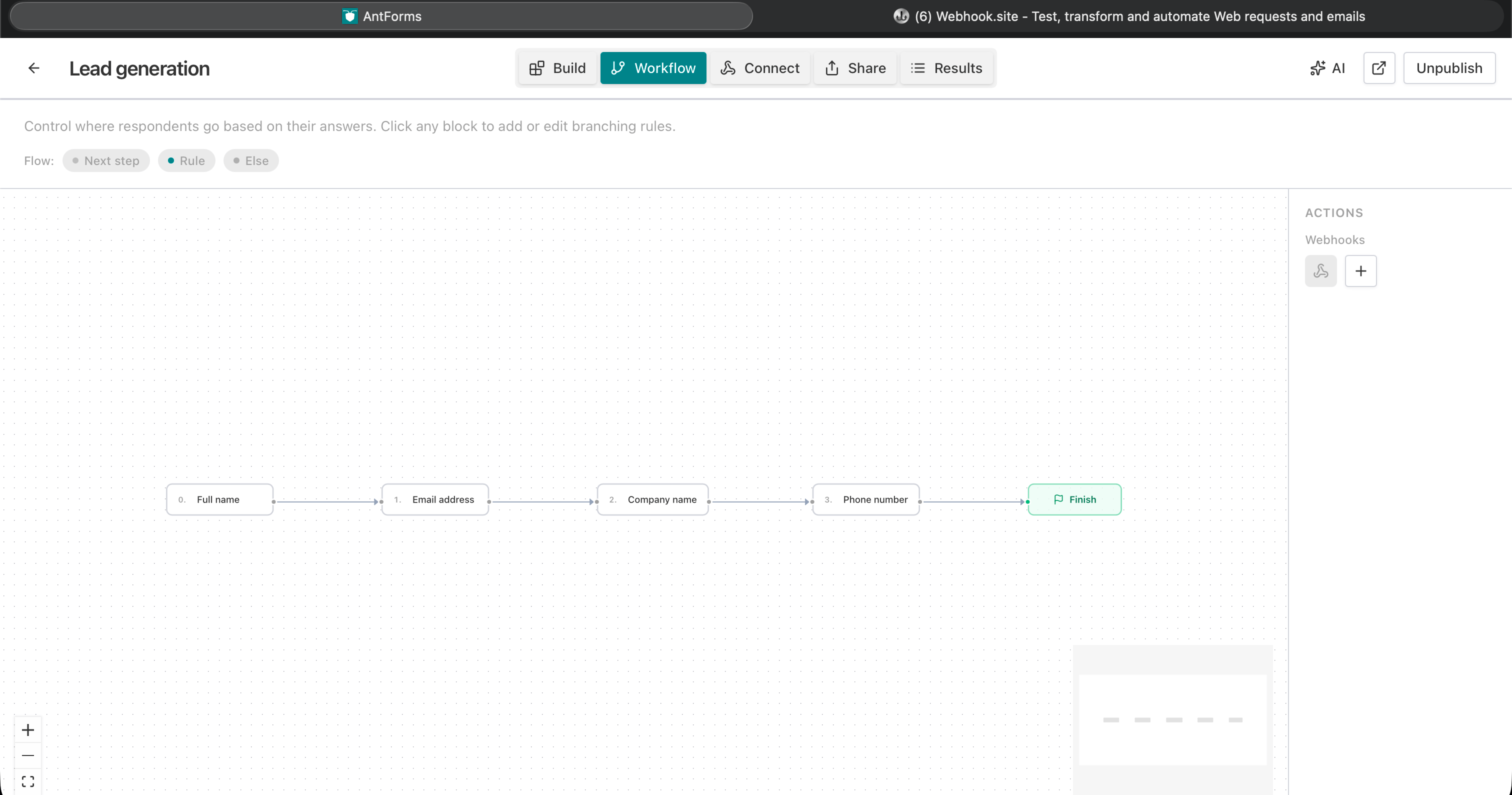
- Form → Integrations → Webhooks — Open your form, go to the Integrations (Connect) tab, then Webhooks.
- Add webhook — Click Add webhook and enter your Endpoint URL (HTTPS). Examples:
- Slack: use a Slack Incoming Webhook URL.
- Email: use a serverless function or app that accepts POST and sends email (e.g. SendGrid, Resend, or your own API).
- Optional: Add a Description (e.g. “#leads Slack”) and a Secret for request verification.
- Save — The webhook is enabled by default. Each new submission will be POSTed to that URL.
- Deliveries — Use the Deliveries view to confirm success/failure and Send test request to try it without submitting the form.
Use case: instant lead alerts for sales
Audience: Sales and SMB teams that collect leads via contact, demo, or pricing forms and need to follow up fast.
Goal: The moment someone submits the form, the team sees it—in Slack, email, or Teams—with key details (name, email, message) so they can respond in minutes.
How it works:
- You add a webhook pointing to a URL that can show a notification:
- Slack: Incoming Webhook URL (we POST to it; your backend or a small adapter must convert our JSON into Slack’s expected format and POST again to Slack, unless you use a middleware—see below).
- Email: Your own endpoint that receives our POST and sends an email via SendGrid, Resend, etc.
- Teams: Similar to Slack—an endpoint that receives our POST and posts to a Teams channel (e.g. via Office 365 Connector or Power Automate webhook).
- On each form submit we POST the payload above to your URL.
- Your endpoint parses data.responses (by block label), formats a message, and posts/sends it. Return 2xx.
- You see success/failure in Deliveries and can retry failed ones.
Important: Slack’s Incoming Webhooks expect a specific JSON shape (e.g. { "text": "..." } or blocks). Our payload is generic. So you either:
- Use a middleware that receives our webhook, builds the Slack payload from
data.responses, and POSTs to Slack, or - Use a tool like Zapier / Make “Webhooks by Zapier” that receives our POST and then posts to Slack (in that case the webhook URL is the Zapier/Make webhook URL).
Example: Slack notification via a small backend
Slack Incoming Webhooks expect a body like:
{ "text": "New lead: Jane Doe (jane@company.com) — Interested in a demo" }Our webhook sends the form_response payload with data.responses keyed by block label. A thin backend can translate:
function getResponse(data, label, key) {
  const block = data.responses?.[label];
  return block?.responses?.[key] ?? block?.responses?.text ?? 'N/A';
}

app.post('/webhook/form-to-slack', (req, res) => {
  const { event_type, data, created_at } = req.body;
  if (event_type !== 'form_response') return res.status(400).send('Unknown event');

  const text = [
    `New lead: ${getResponse(data, 'Name', 'text')} (${getResponse(data, 'Email', 'email')})`,
    getResponse(data, 'Phone', 'text') !== 'N/A' ? `Phone: ${getResponse(data, 'Phone', 'text')}` : '',
    getResponse(data, 'Message', 'text') !== 'N/A' ? `Message: ${getResponse(data, 'Message', 'text')}` : '',
    `Submitted at: ${created_at}`,
  ].filter(Boolean).join('\n');

  fetch(SLACK_WEBHOOK_URL, {
    method: 'POST',
    headers: { 'Content-Type': 'application/json' },
    body: JSON.stringify({ text }),
  })
    .then((r) => (r.ok ? res.status(200).send('OK') : res.status(502).send('Slack error')))
    .catch(() => res.status(500).send('Error'));
});
Your webhook URL in the form builder would be https://your-domain.com/webhook/form-to-slack. For production, set a secret and verify X-Jupiter-Signature using the raw request body before parsing JSON so only the form builder can call this.
Example: email notification (SendGrid / Resend)
Your endpoint receives our POST and sends an email with the lead details. Use data.responses (keyed by block label) to read values:
function getResponse(data, label, key) {
  const block = data.responses?.[label];
  return block?.responses?.[key] ?? block?.responses?.text ?? '—';
}

app.post('/webhook/form-to-email', (req, res) => {
  const { event_type, data, created_at } = req.body;
  if (event_type !== 'form_response') return res.status(400).send('Unknown event');

  const html = `
    <h2>New form submission</h2>
    <p><strong>Name:</strong> ${getResponse(data, 'Name', 'text')}</p>
    <p><strong>Email:</strong> ${getResponse(data, 'Email', 'email')}</p>
    <p><strong>Phone:</strong> ${getResponse(data, 'Phone', 'text')}</p>
    <p><strong>Message:</strong> ${getResponse(data, 'Message', 'text')}</p>
    <p><em>Submitted at: ${created_at}</em></p>
  `;

  sendEmail({ to: 'sales@yourcompany.com', subject: 'New lead from website form', html })
    .then(() => res.status(200).send('OK'))
    .catch(() => res.status(500).send('Error'));
});
Webhook URL: https://your-domain.com/webhook/form-to-email. Again, verify the request using the signing secret.
Multiple channels (Slack + email)
Add two webhooks on the same form: one URL for Slack (or your Slack middleware) and one for your email endpoint. Each submission is sent to both. No need to choose—you get Slack and email alerts together.
FAQs — instant lead notifications
Can I post directly to Slack without a backend?
Slack’s Incoming Webhook URL expects Slack’s own JSON format. Our webhook sends a generic form_response payload. So you need either a small backend that converts our payload to Slack’s format and POSTs to Slack, or a no-code step in between (e.g. Zapier “Webhooks by Zapier” → “Slack: Send message”).
How do I verify the webhook is from the form builder?
Set a secret when adding the webhook. We send X-Jupiter-Signature: sha256=<base64(HMAC-SHA256(secret, raw_body))>. Your server should verify using the raw request body and the same secret before processing; see the product docs for details.
What if my endpoint is slow or down?
We retry on 5xx, 429, and timeouts (exponential backoff, up to 5 attempts). On 429 we respect the Retry-After response header when present (capped at 24 hours). Check Deliveries for status and use Retry after fixing your endpoint. Respond with 2xx as soon as you’ve accepted the request so we don’t retry unnecessarily.
Can I format the Slack message with blocks?
Yes. Your middleware builds Slack’s blocks or attachments from data.responses and POSTs that to the Incoming Webhook. Our payload gives you all the data you need.
Is there a limit on how many webhooks I can add?
You can add up to 3 webhooks per form (e.g. one for Slack, one for email, one for CRM). Each submission is sent to every enabled webhook.
Where do I find the webhook settings?
Form → Integrations (or Connect) → Webhooks. Click Add webhook, enter your endpoint URL (Slack adapter, email API, or Zapier/Make webhook), optionally set a description and secret, then save. Use Send test request from the Deliveries view to confirm without submitting the form.
Conclusion
Key takeaway: Use webhooks to trigger instant notifications on every form submit—Slack, email, or Teams—so your team can follow up in minutes.
Try AntForms to set up your first webhook. For more, read webhooks for developers and send form submissions to CRM.